Activity and notifications
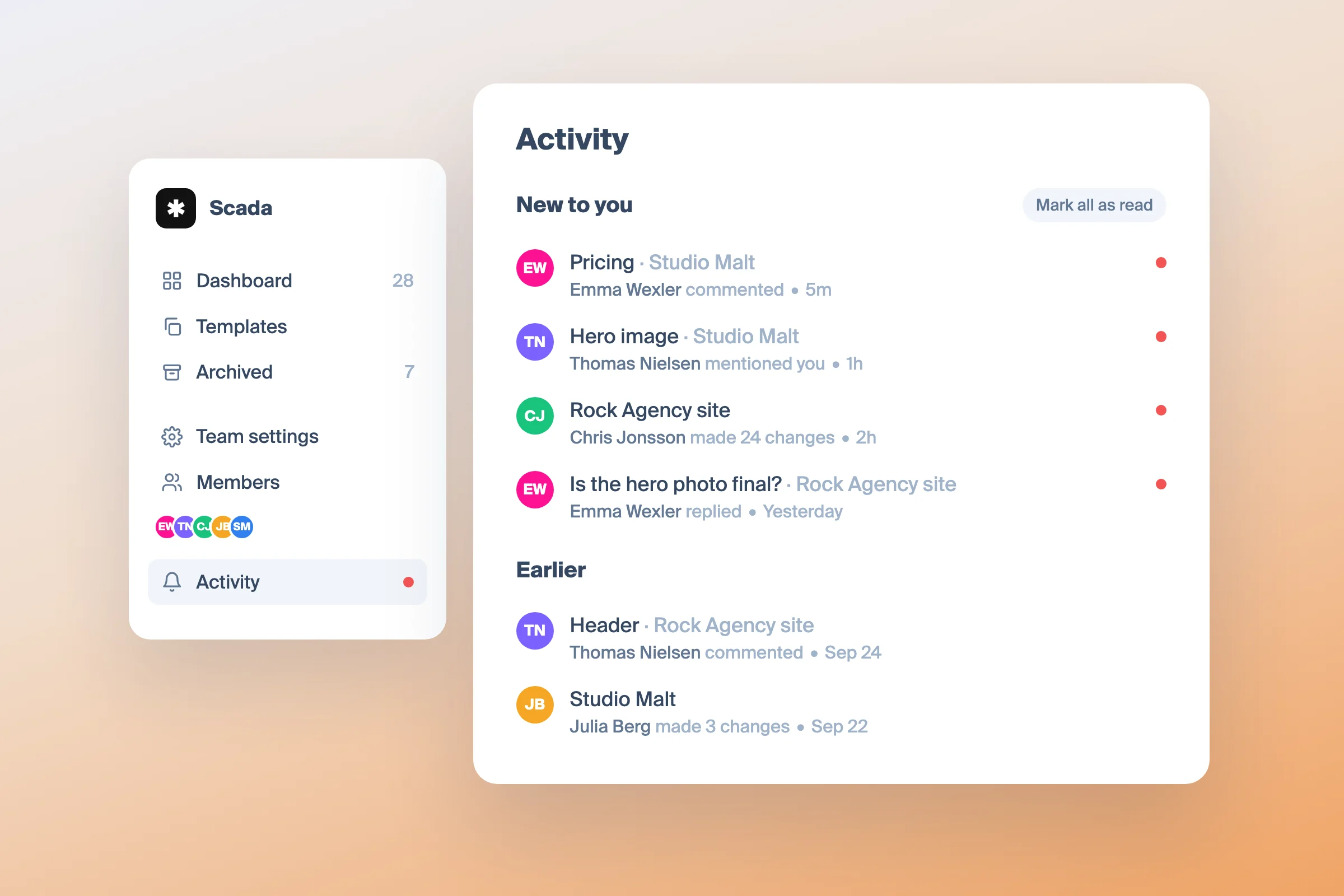
A new Activity page in the dashboard lists comments and changes in the projects you take part in, and the same activity reaches you by email at the pace you choose.
Shared symbol library
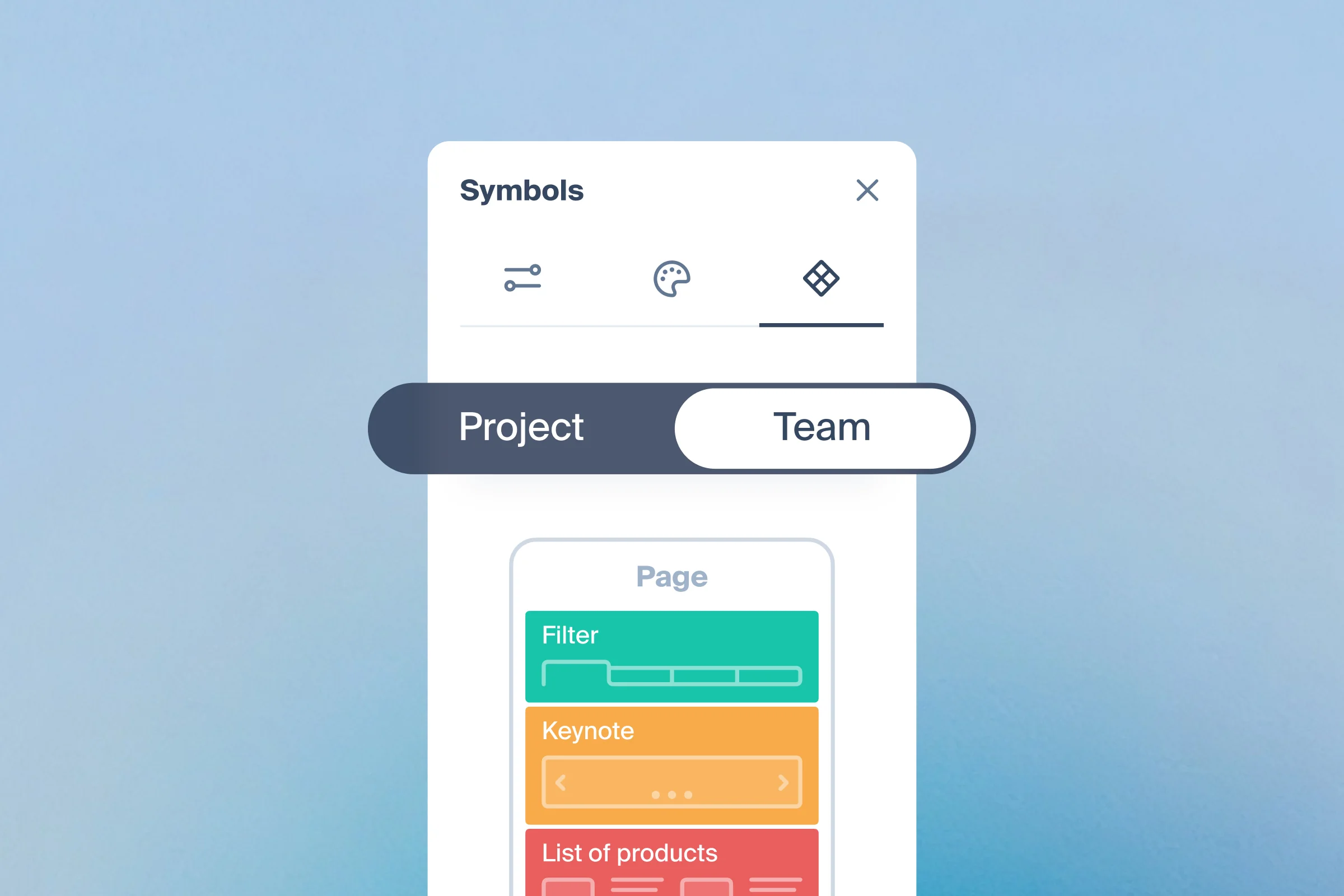
Keep symbols in your workspace instead of one project — drop them into any project, edit once, and every project follows. On the Team plan.
Google Analytics on your sitemap
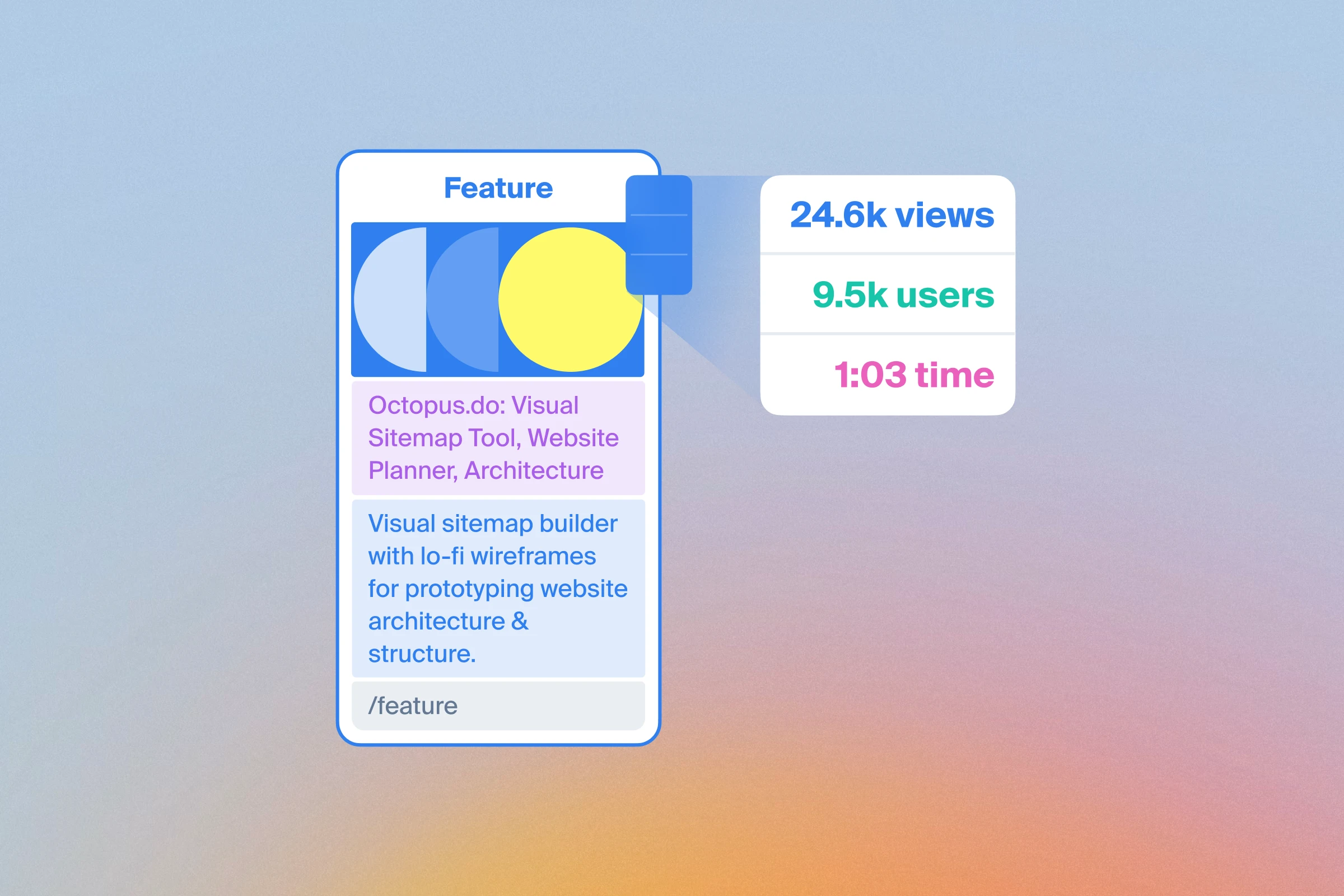
Connect Google Analytics to see page views, users and engagement time alongside your sitemap.
Save any project as a template
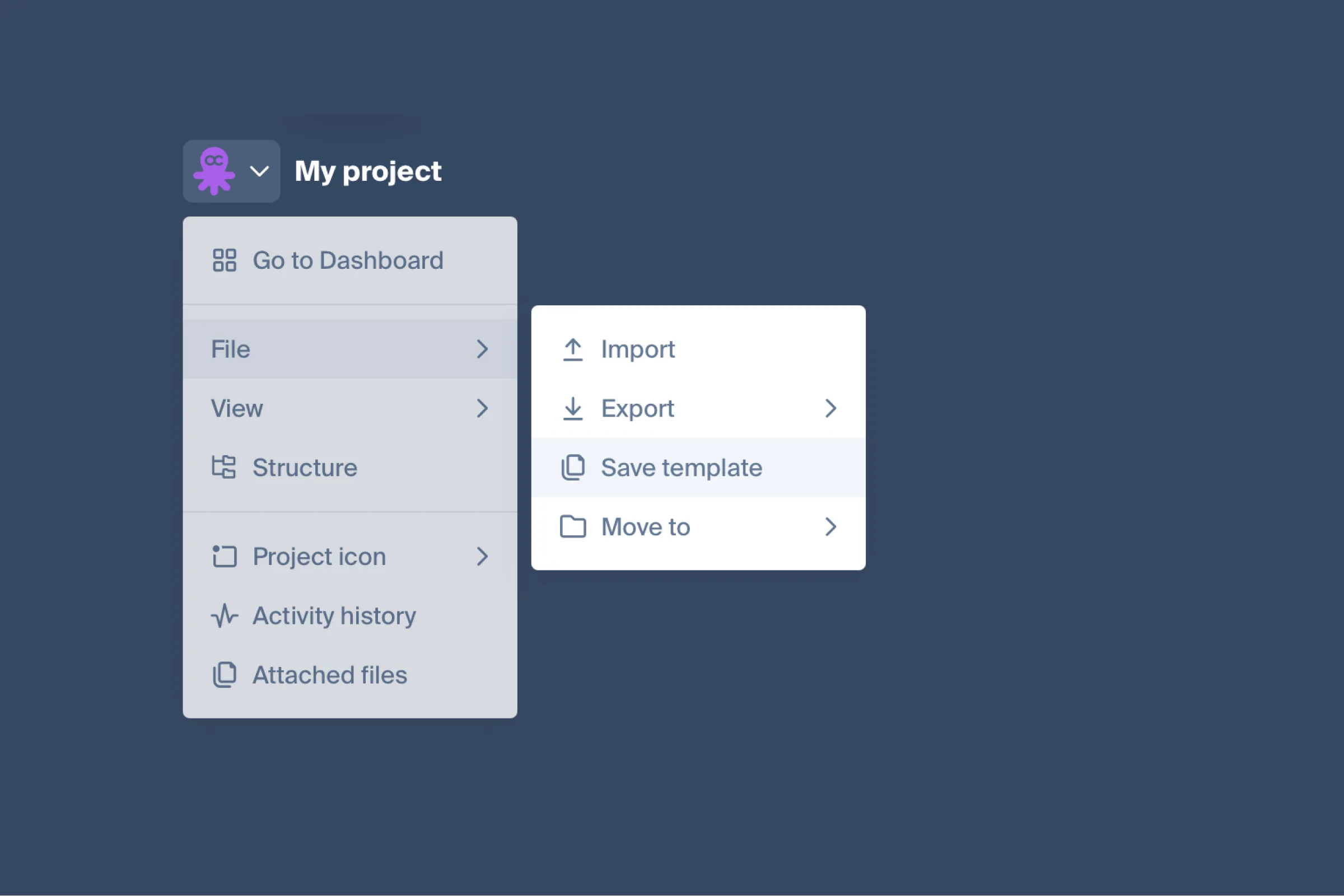
Save any project as a template and start the next one from it. Plus an import that fills pages with blocks and wireframes from a crawl, a structure sidebar, pinned sitemaps, and the rest of what shipped in the last month.
Octopus in ChatGPT and Claude

Octopus now has official apps in ChatGPT and Claude: ask the assistant to build or edit a sitemap and it works inside your account. Under them sit an MCP server for any agent and a public REST API.
Copywriter role in team projects
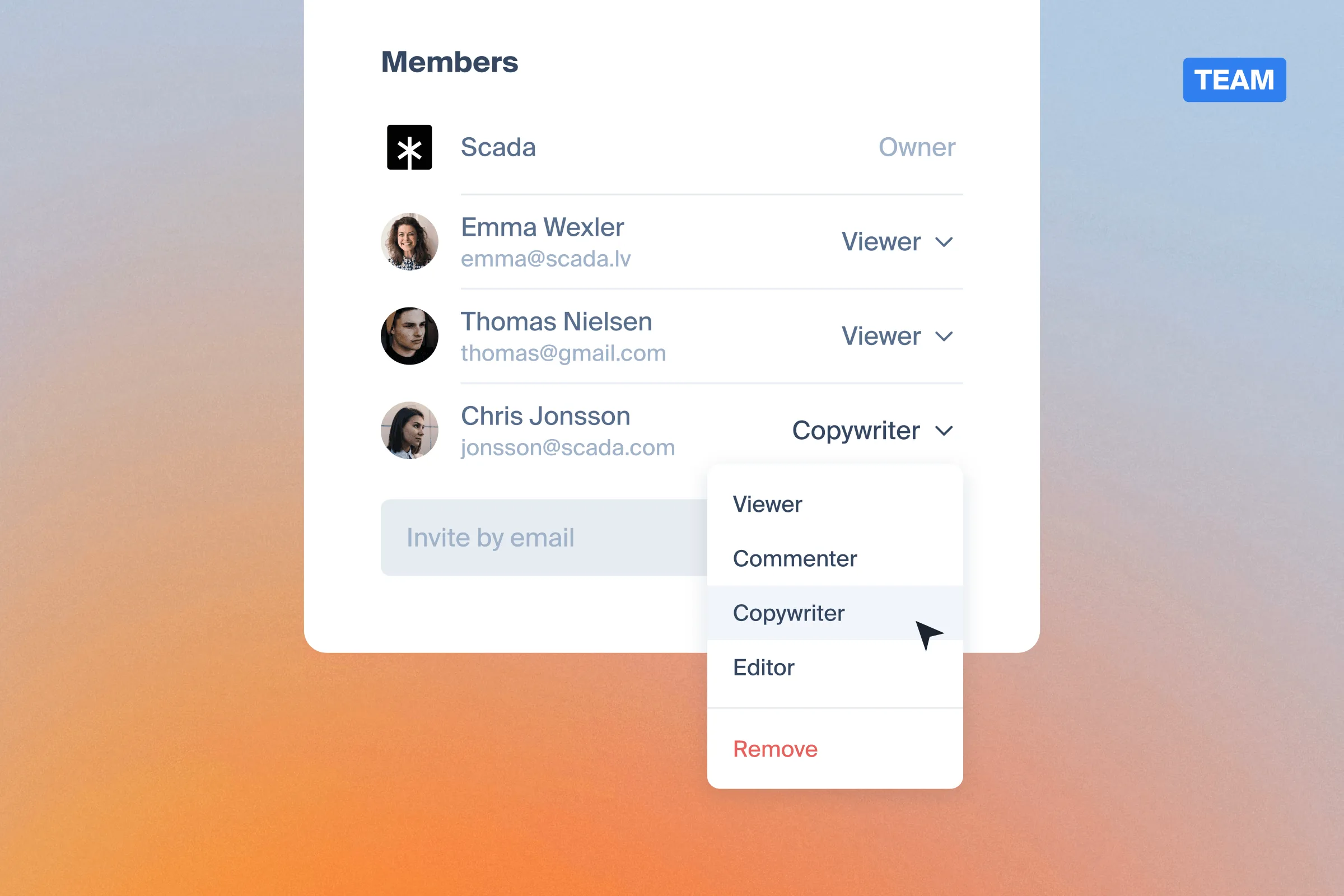
A new project role between Commenter and Editor: a copywriter writes the content of pages and blocks and fills in SEO tags, while the sitemap structure stays untouched. Available in Team projects.
A major update to Octopus editor
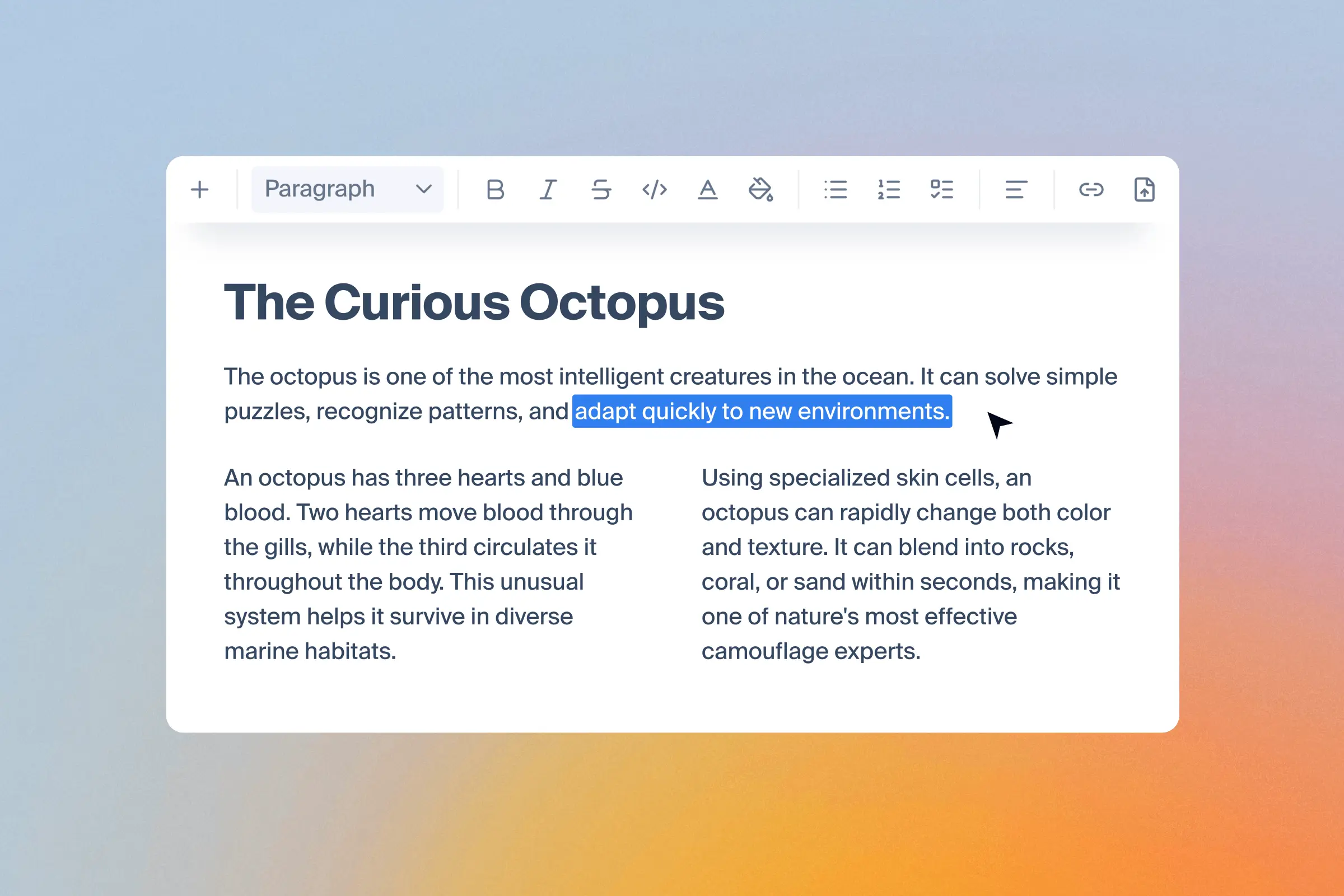
Welcome new editor
The editor is one of the most-used content planning features in Octopus, with more than 56k activations every month. It has become more difficult to maintain and add new features to, which led to the decision to search for a replacement —a modern, more reliable foundation that will allow to improve the editing experience much faster in the future.
Users now can take advantage of several new features, including:
- Columns (our most requested feature)
- Tables
- Text alignment
- A refreshed editing experience
Octopus to Figma Plugin Update
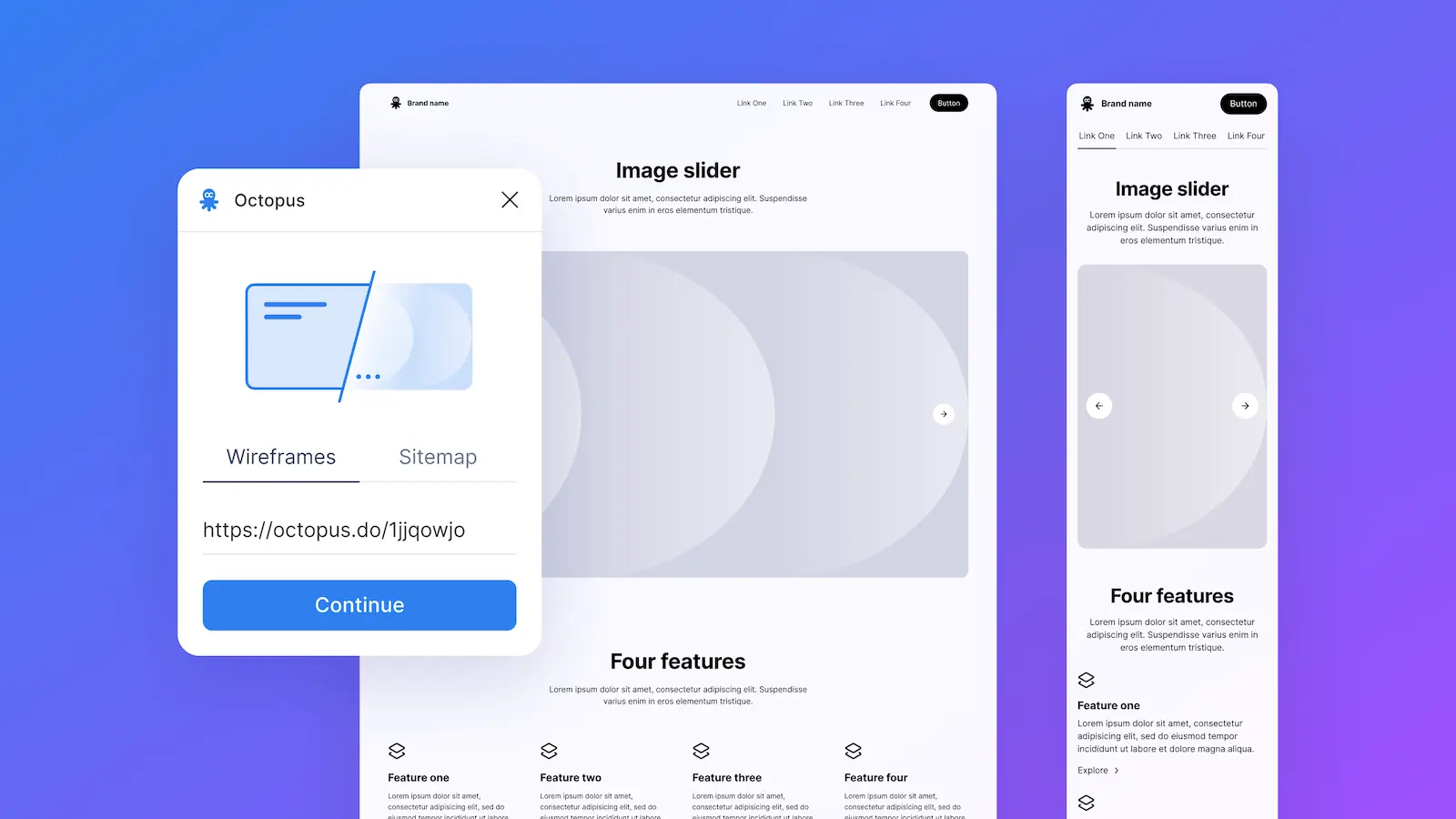
Welcome high-fidelity prototype generation
Octopus.do is where many teams plan and structure their websites visually, work on SEO, and map out content. The next step usually happens elsewhere — in most cases, Figma — so we've been focused on removing friction between those stages.
With new update, users can take their Octopus project to Figma, and generate a full high-fidelity prototype. All components in the prototype are built with variables, enabling easy changes across the whole file instantly. For instructions, read our help article.
Get wireframes kit: https://www.figma.com/community/file/1631648611405960961
Get plugin: https://www.figma.com/community/plugin/1364110243223652066
Project import - Introducing Octopus XML
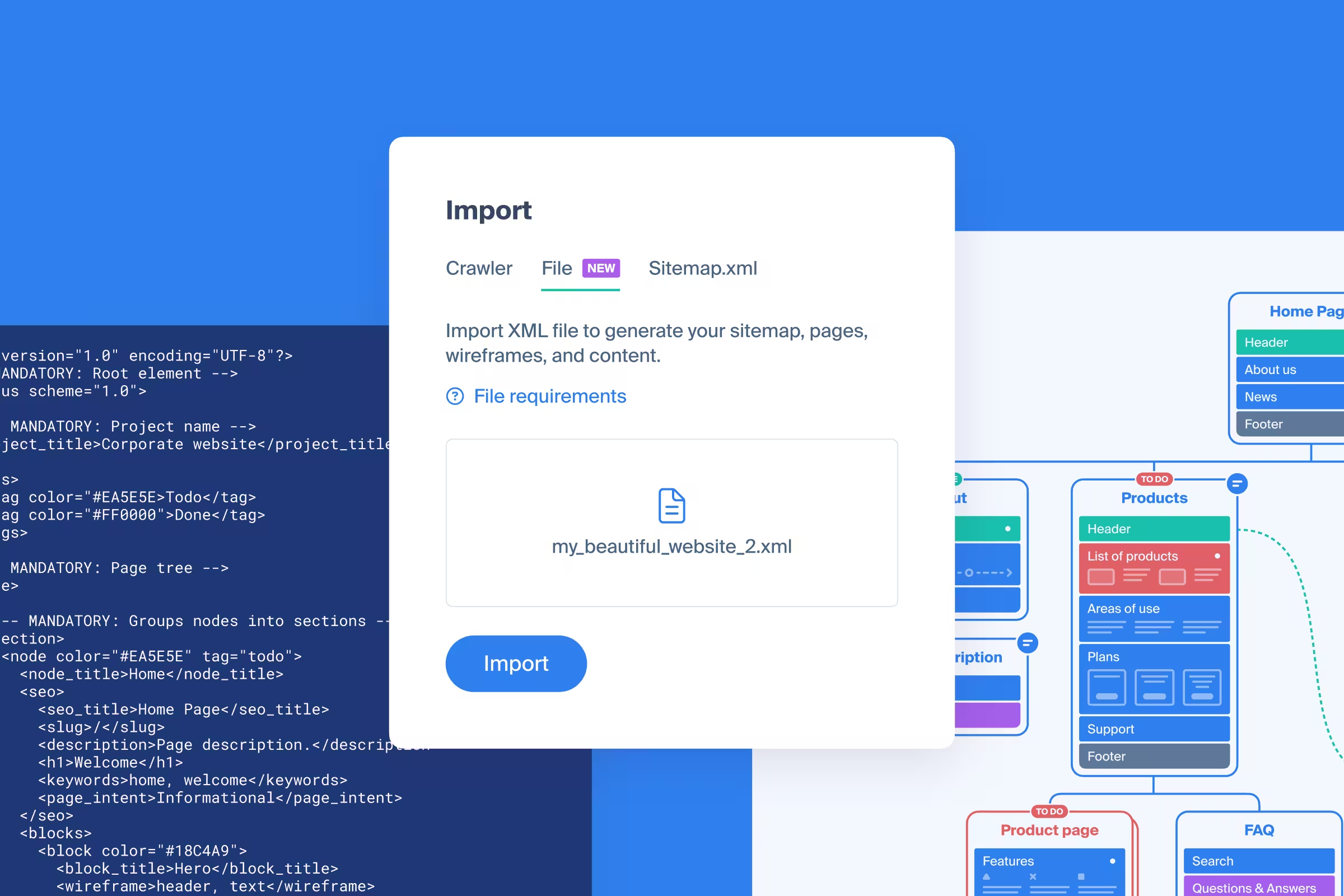
Octopus XML is a file with a specific structure that is used to import data into Octopus and create a new project. Project import is useful when you need to move projects from another tool, or export an Octopus project to work on it elsewhere and then import it back.
Since transforming data into Octopus XML can be challenging, we have created a text prompt for AI models that you can use as guidance. You can find it, along with file requirements, here.
Project import include:
- project title
- sections
- colors
- pages
- blocks
- block content
- wireframes
- SEO data
- tags
Export to Word (.docx)
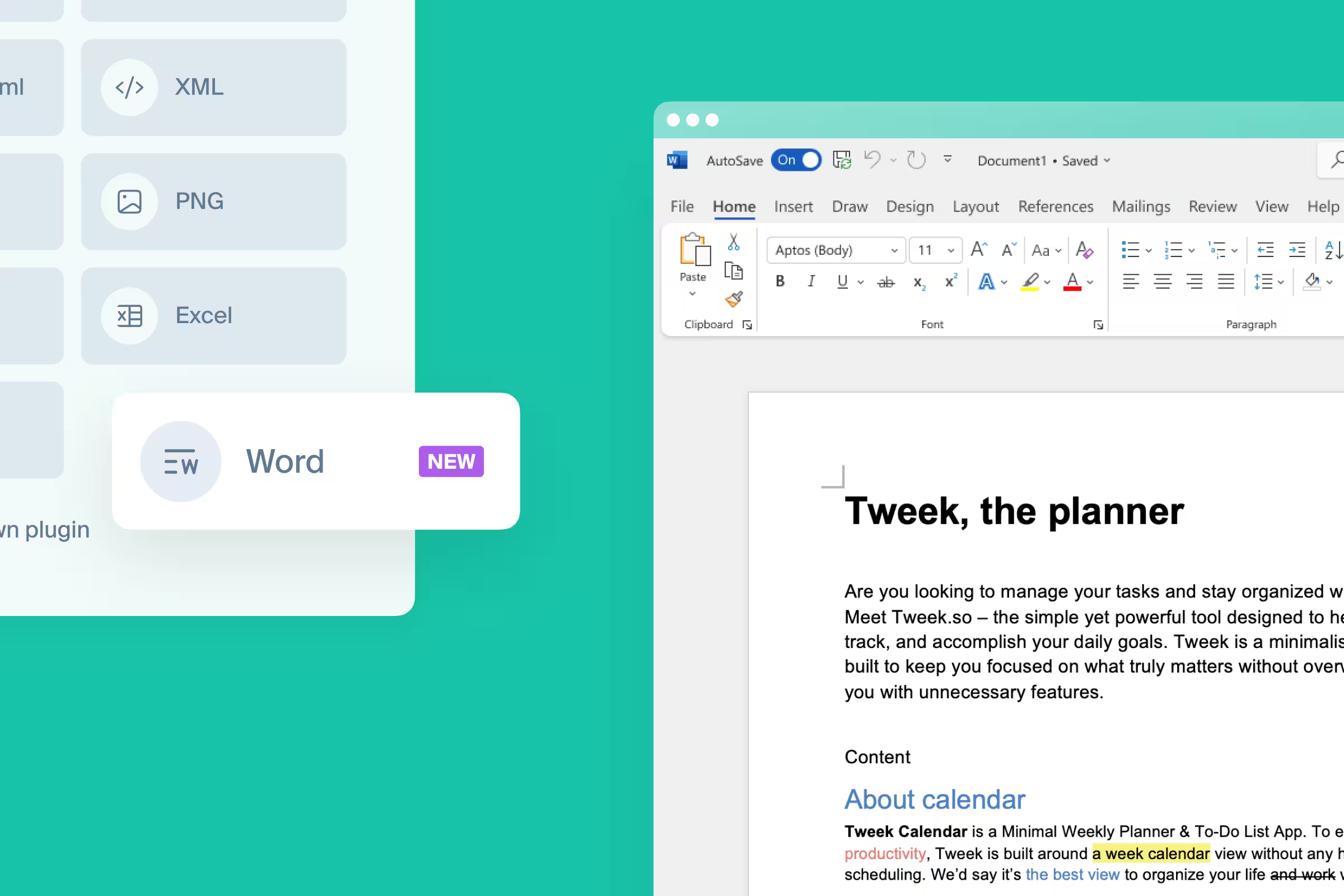
The #2 voted feature on requests board - export to Word (.docx) is live!
It enables users to export their text content into a structured .docx file, incorporating page and block titles, and all the content with appropriate styling.
AI prompt export
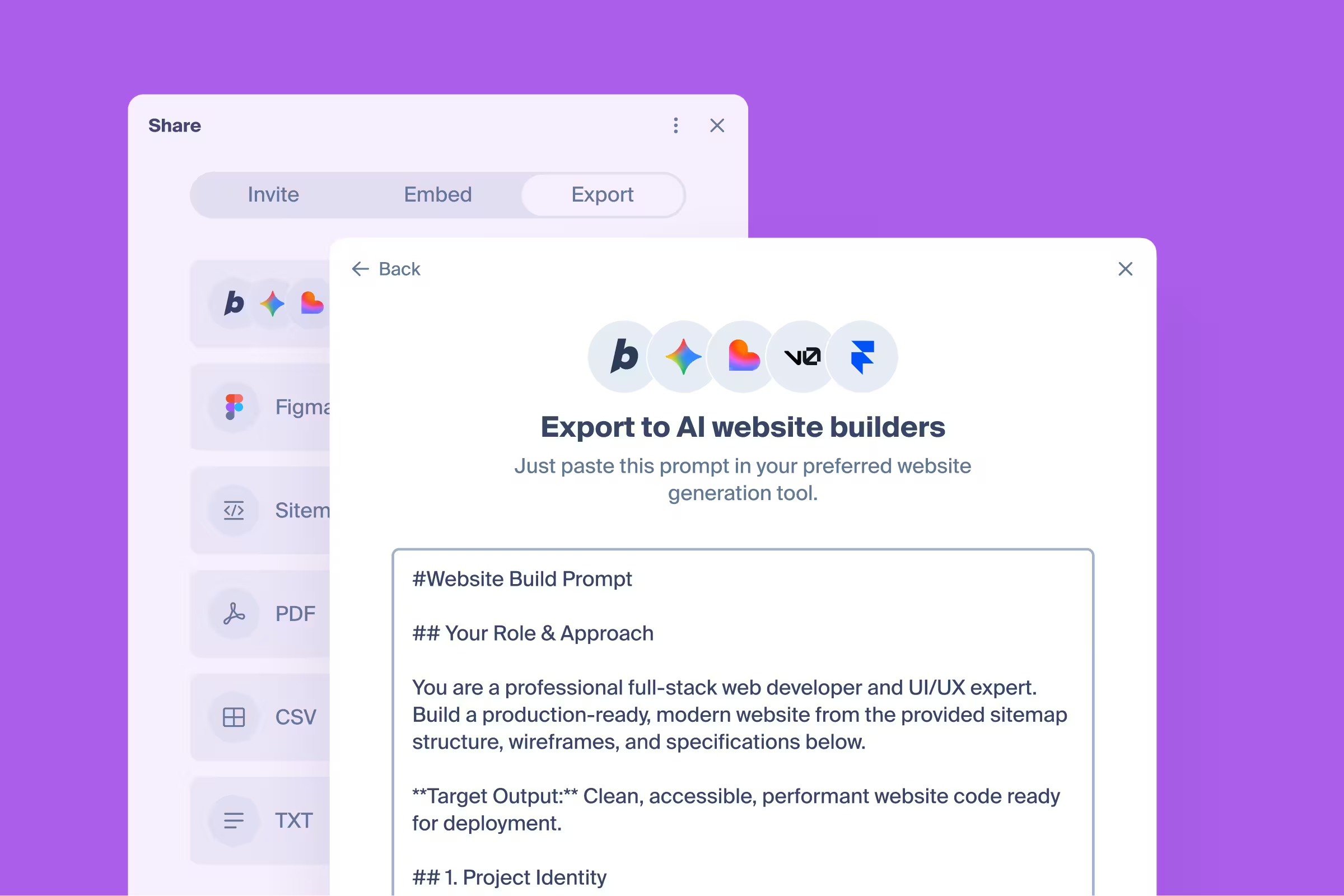
Launched an experimental export feature to address the challenge to write prompt when using website AI generators.
The current setup is rather simple, and is aimed to prove a theory before introducing more advanced capabilities: there's a prompt boilerplate with a couple of variables where we inject project data:
- project title
- pages (along with SEO data)
- blocks
- wireframes
- color palette
This is minimum data set to create a meaningful transition from Octopus project to a website draft that can be further adjusted to user vision.
Subscription pricing change

We’re completing an update to our subscription pricing in line with the current pricing matrix. The change is being applied gradually and will be fully in effect for all Pro subscriptions by February 6, 2026, depending on individual billing cycles.
This decision wasn’t made lightly. We’ve kept grandfathered pricing in place for years, but as Octopus has grown in scope and complexity, this change allows us to maintain and increase the pace at which we deliver meaningful, high-quality improvements without compromising reliability or focus.
Over the past year alone, we’ve shipped SEO mode, artboard comments and attachments, the Publish feature, expanded access rights, and major improvements to the core platform. And that’s only a part of what’s been delivered.
Looking ahead, we’re continuing to invest in deeper planning workflows, collaboration improvements, and features that make website structure work faster, clearer, and more impactful. We genuinely believe what’s coming next will make Octopus even more valuable in your day-to-day work.
Thank you for being part of the journey so far - we hope you’ll continue building with us.
Export to Excel (.xlsx)
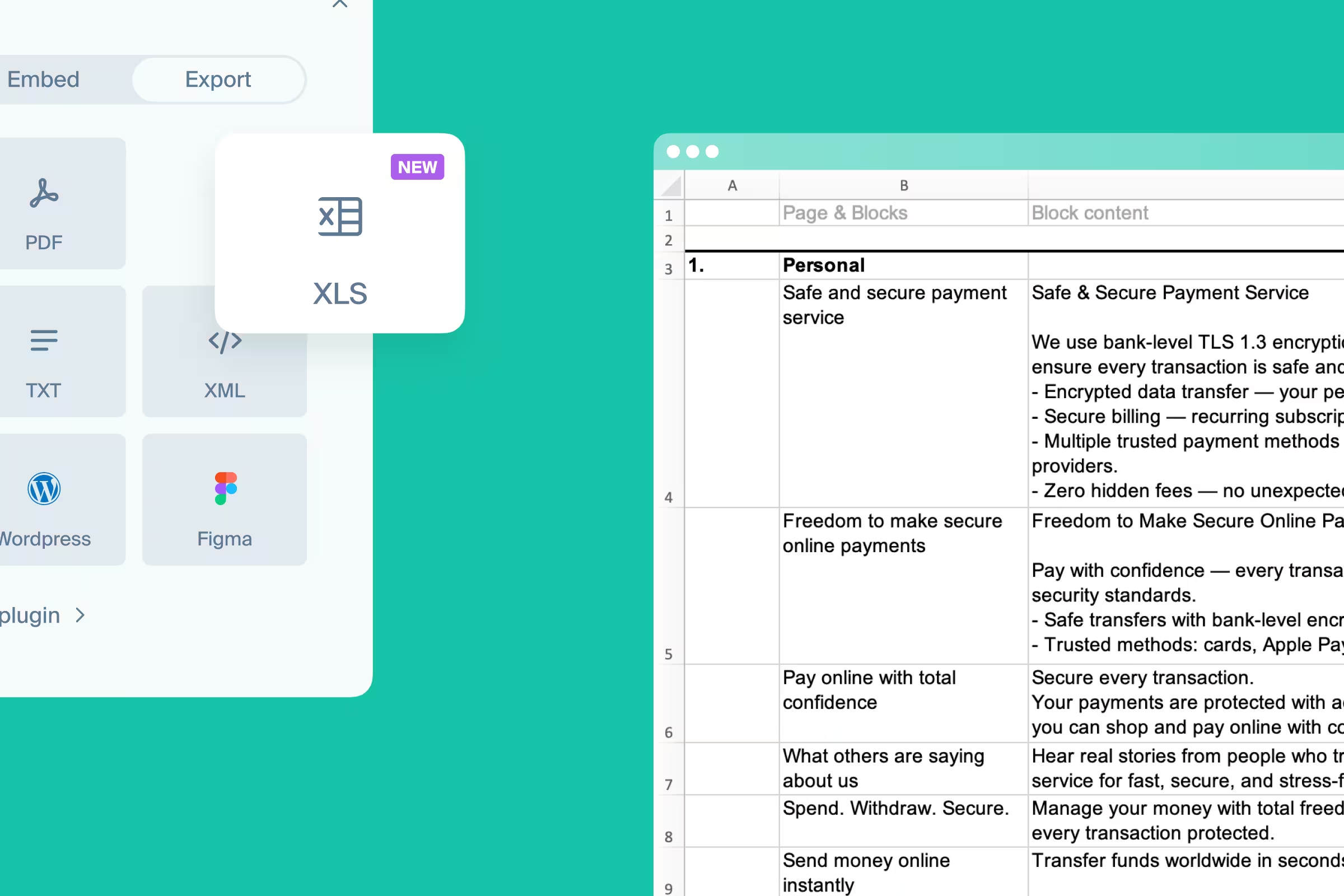
One of the most demanded features in our request voting board is out - Export to Excel.
Export project sitemap pages & blocks, text content, and SEO tags in share- and print-ready .xlsx file.
Introducing Sitemap AI assistant BETA
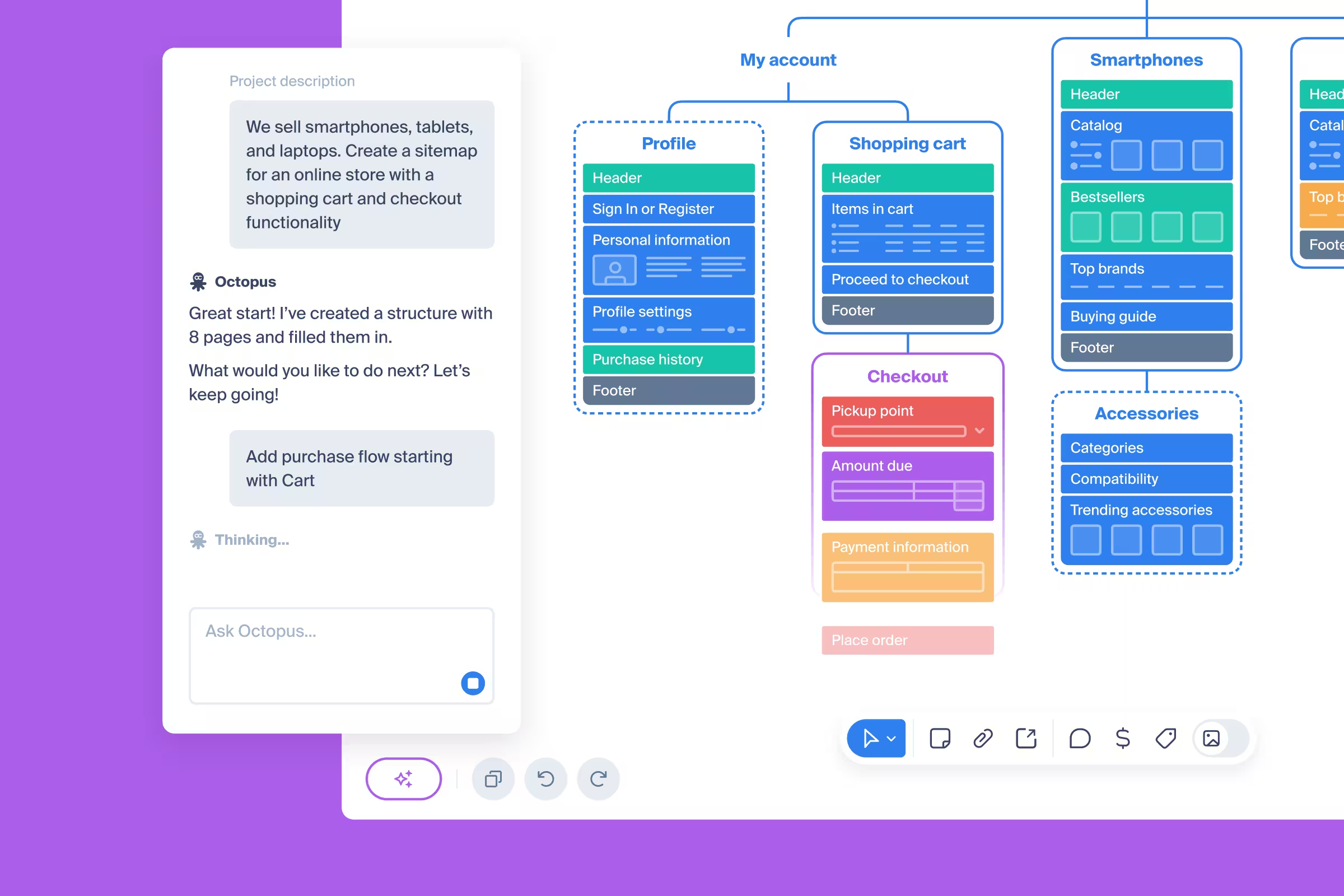
AI enables a hybrid approach to creating and editing sitemaps - user always makes all decisions, while routine work is done by AI.
A new sitemap AI assistant BETA is released - chat-like sidebar where user is invited to send text messages to request changes in the sitemap. More information in related help article.
Dashboard 2.0 released
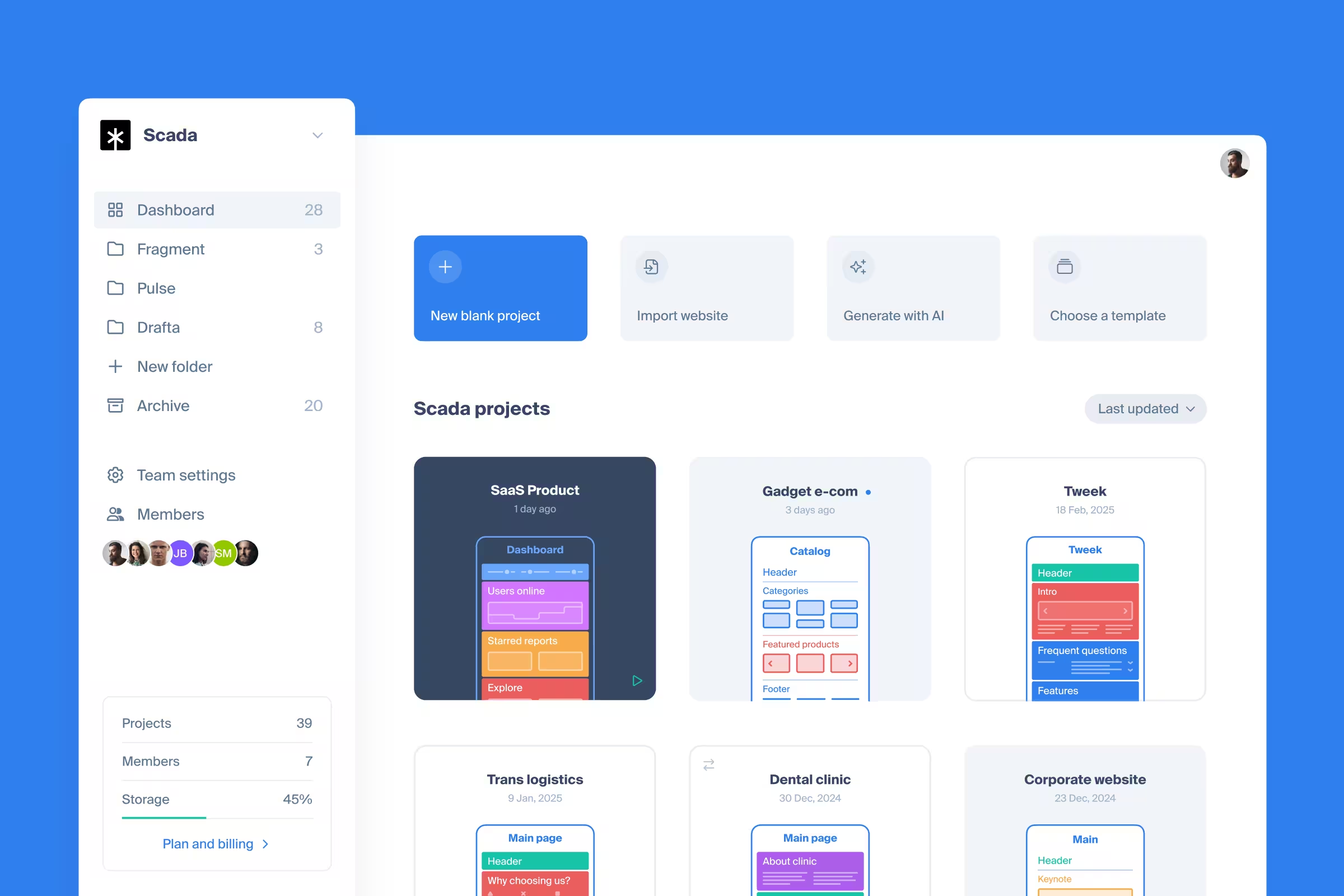
Explore the new dashboard - better, faster, cooler.
The dashboard is the core of everything - users take their first steps here, start exploring the product, and quickly reach the point where the dashboard becomes an everyday's workstation.
This update is pivotal for both our users and ourselves! It’s not only easier to navigate and better looking, but also serves as the foundation for the exciting new features we’re planning in 2026.
New theme - Bold
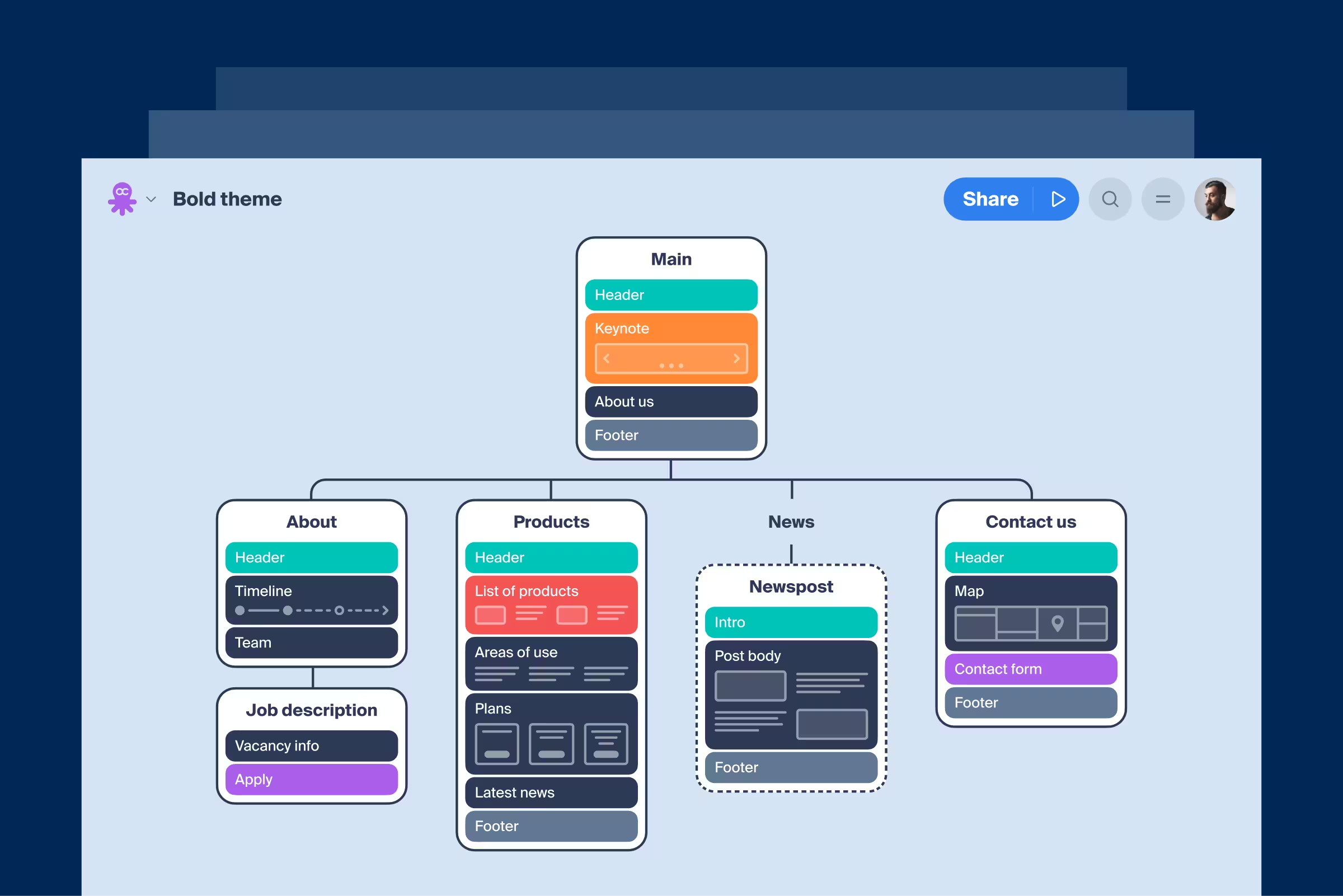
The fourth theme released - Bold
In pursuit to provide our users with new feel&look for their projects, we created a new theme. Bold theme brings extra contrast, crisp readability, and a sharper look that makes every project stand out. Switch it on in Project Settings and see your sitemaps in a whole new light.
SEO Mode
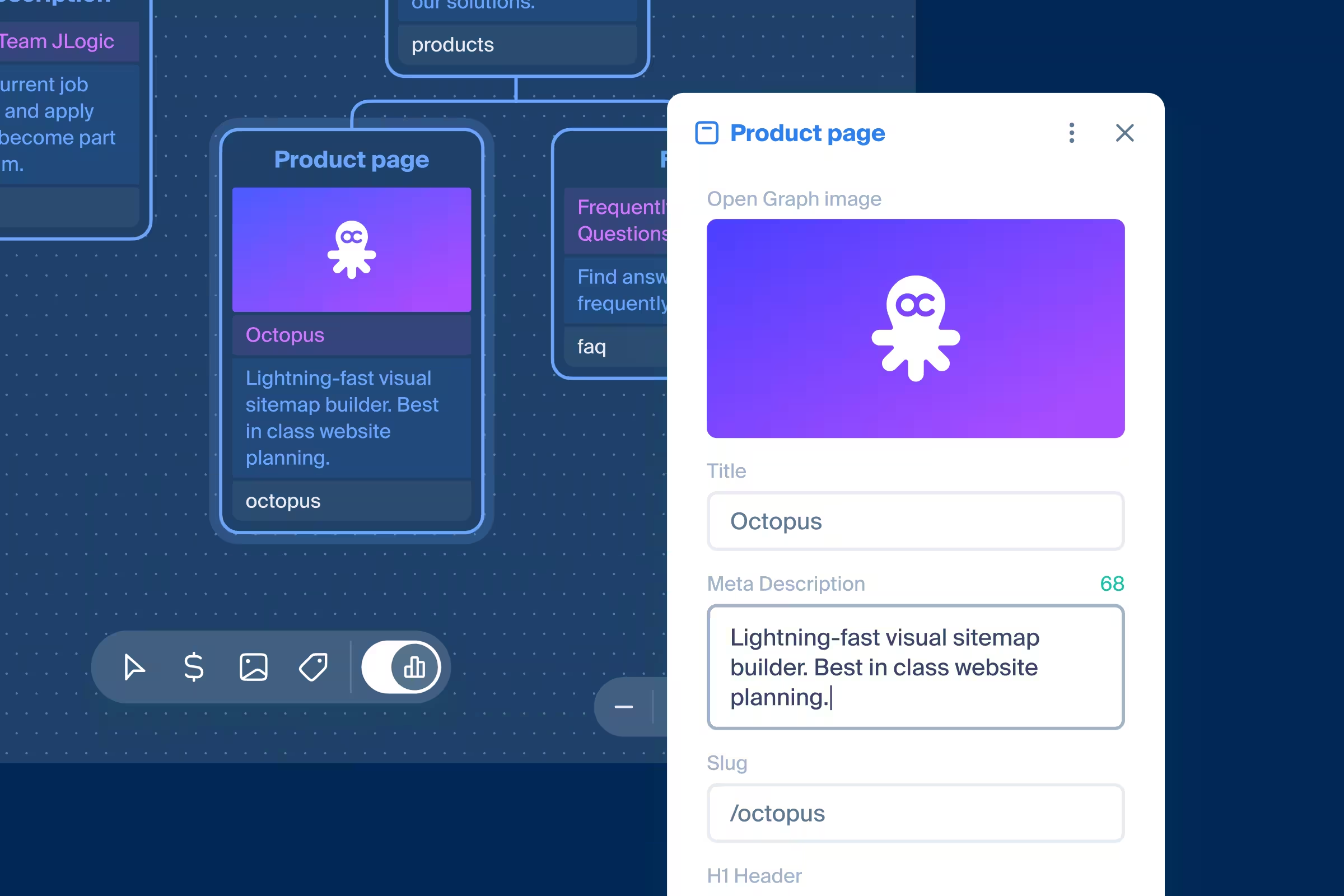
Now you can switch the board into a bird’s-eye SEO view and edit everything in real time. Add titles, descriptions, and H1 tags, upload Open Graph images, or even import all tags from any website just by pasting a URL. You can also ask AI to generate them for you and finally export everything as a table or ready-to-use code.
Artboard comments panel & guest commenting
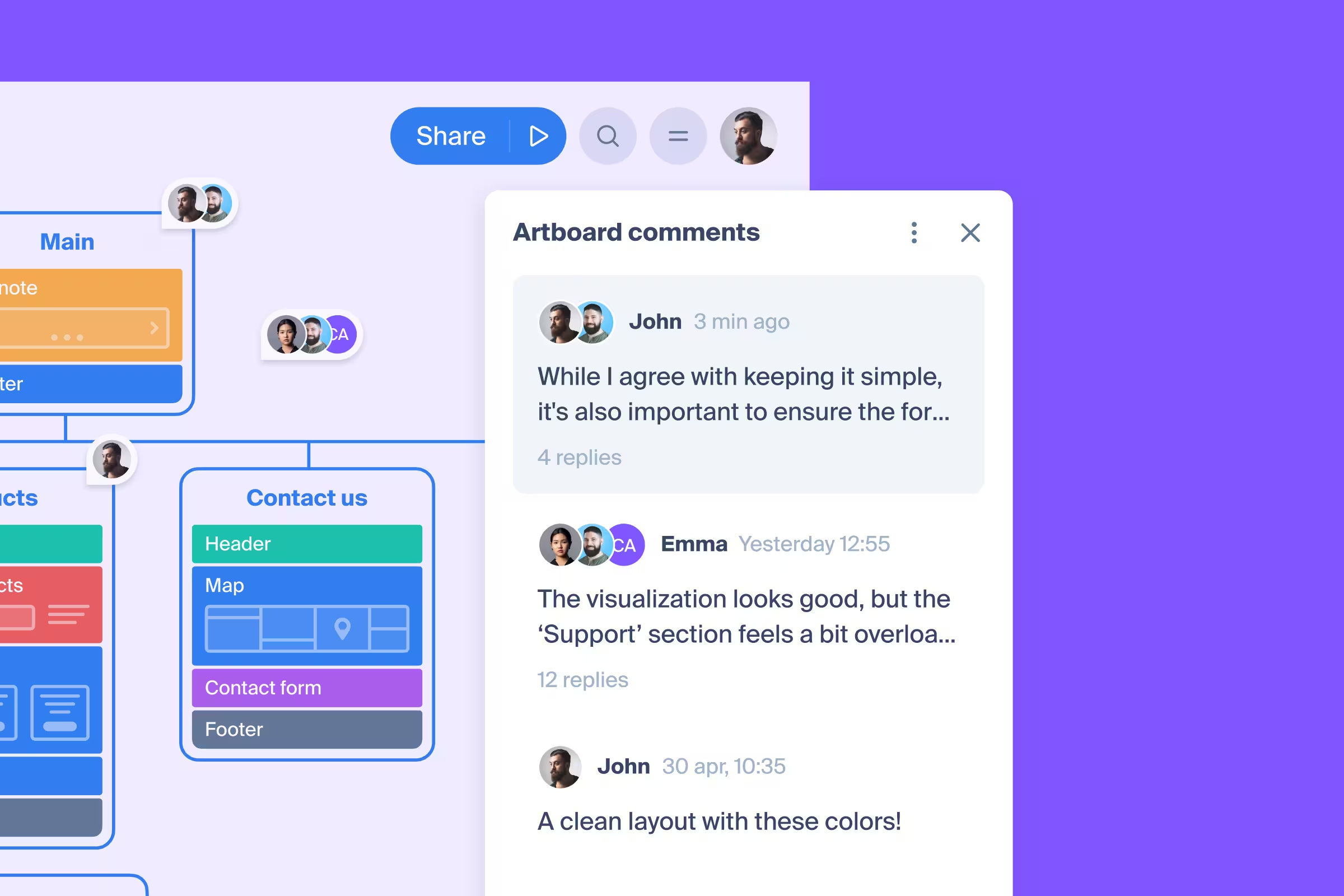
Two updates that elevate the commenting experience:
- When you switch on artboard comment mode, a panel appears showing every discussion on that artboard, making it easy to track and locate conversations. This reduces the risk of a thread being lost or overlooked. You can also toggle the visibility of resolved threads.
- Our Team Plan users can now enable guests, who don’t have an account in Octopus, to comment on projects. This feature has been requested many times, and we believe it will streamline feedback exchange between our users, their teams, and their clients.
New release: Comments on the artboard
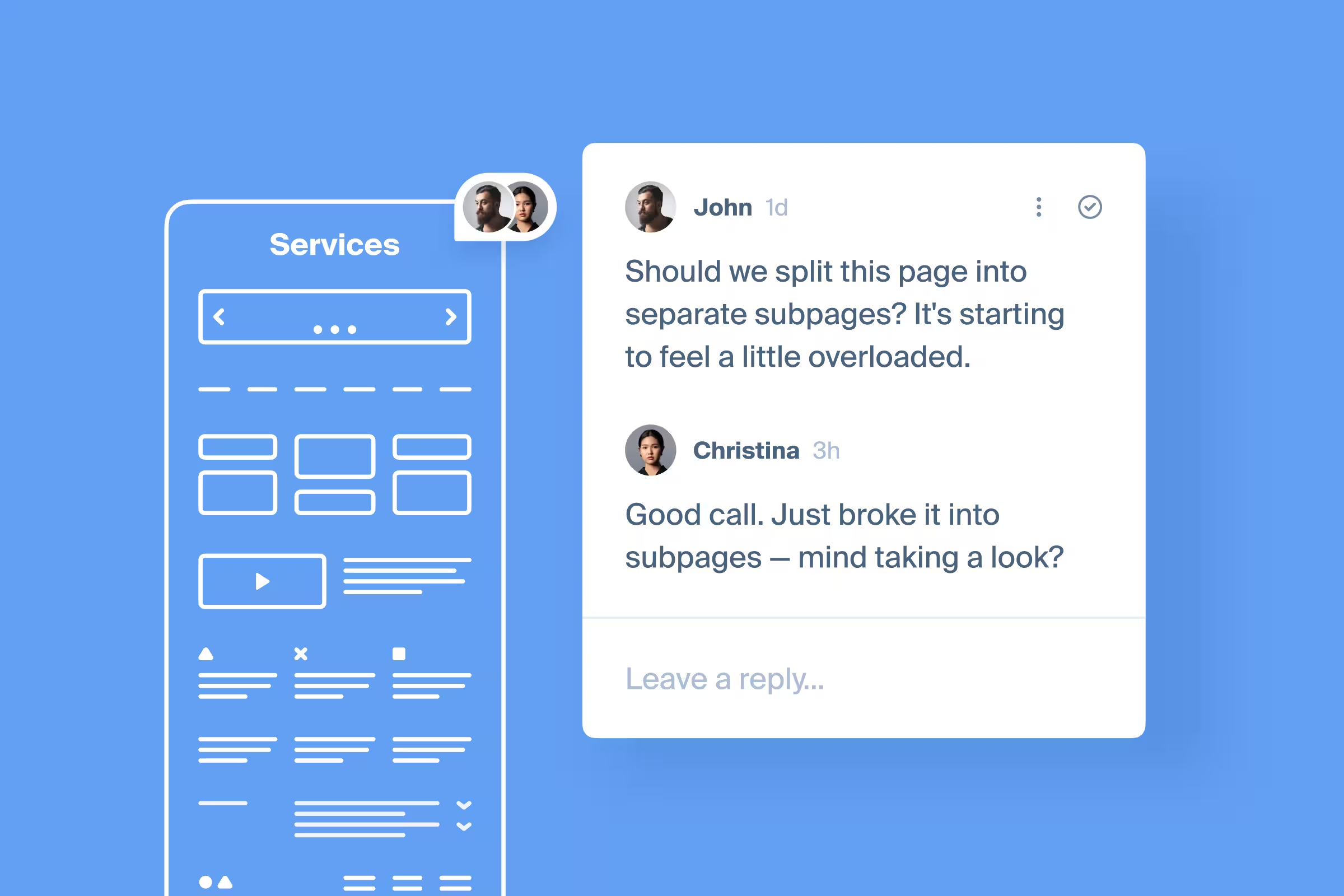
Expanding limits of commenting feature, enabling users to communicate with their clients, colleagues, and friends right on hth artboard. Available on all plans, including free, this feature will become a cornerstone of a successful teamwork.
Collaborate on a project with others - more about adding members to your projects in our help article.
Page structure management through content mode
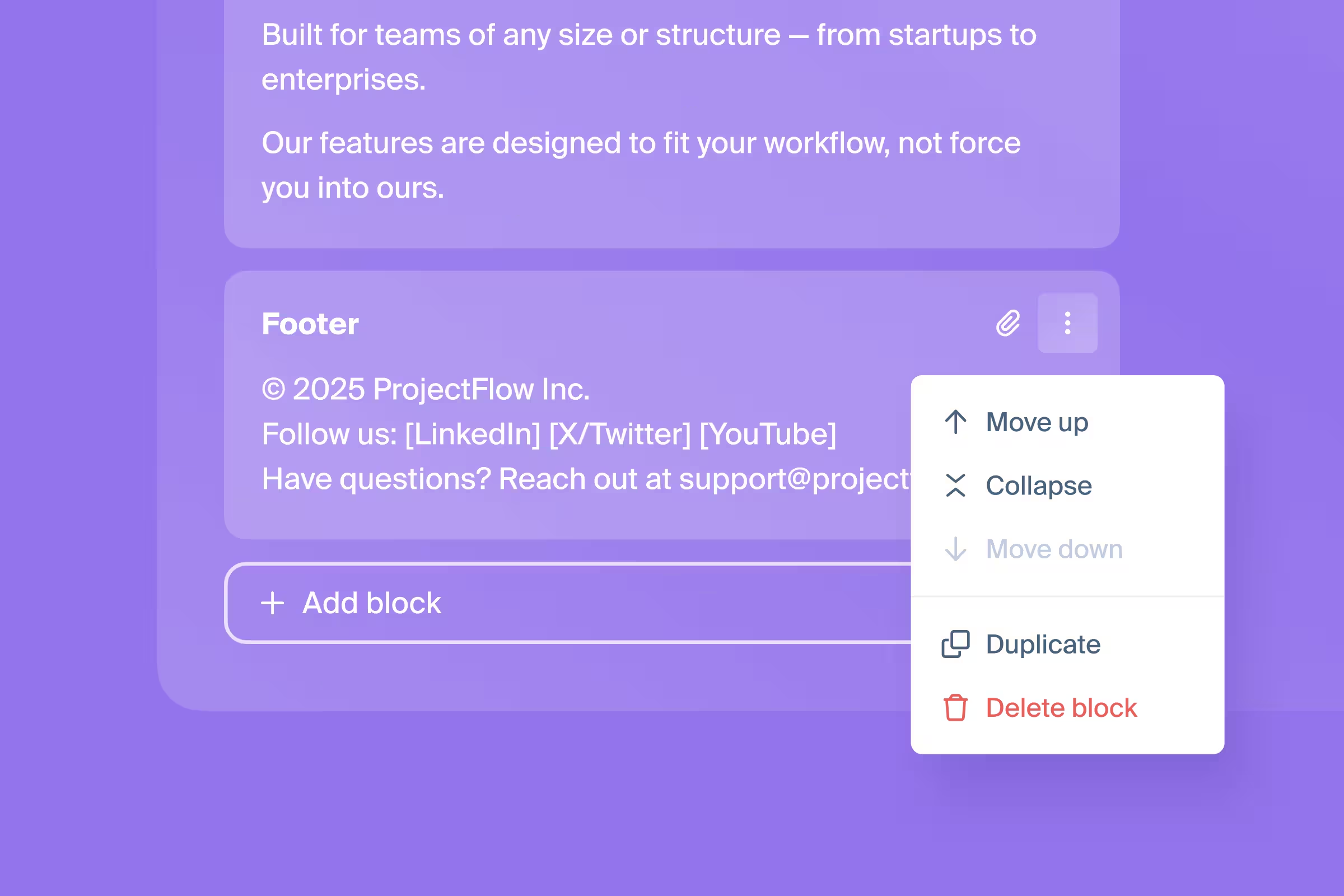
Before this update, content mode wasn't self-sufficient as user required to exit it to manage page structure - this created unnecessary turbulence in creative process. Now, our users can work in content mode and add new, change sequence or remove blocks without switching to the artboard.
New feature: multi-select pages
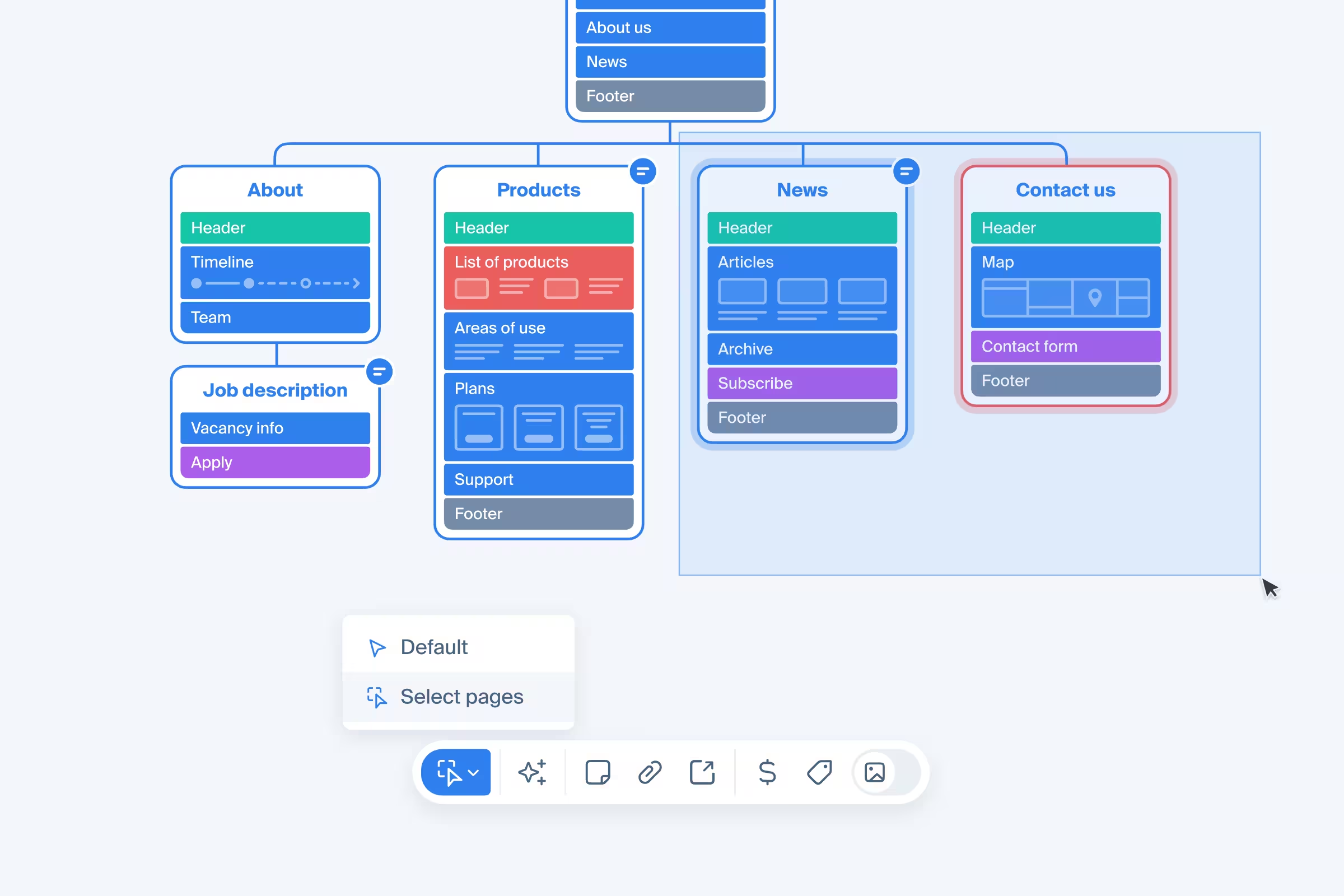
From now on, drag&select pages is enabled to all users - simplifying the work with larg numbers of pages. Whenever it's required to copy, move, or delete multiple pages, just select them with mouse cursor.
To activate, select multi-select mode in the bottom toolbar.
Octopus core refactoring
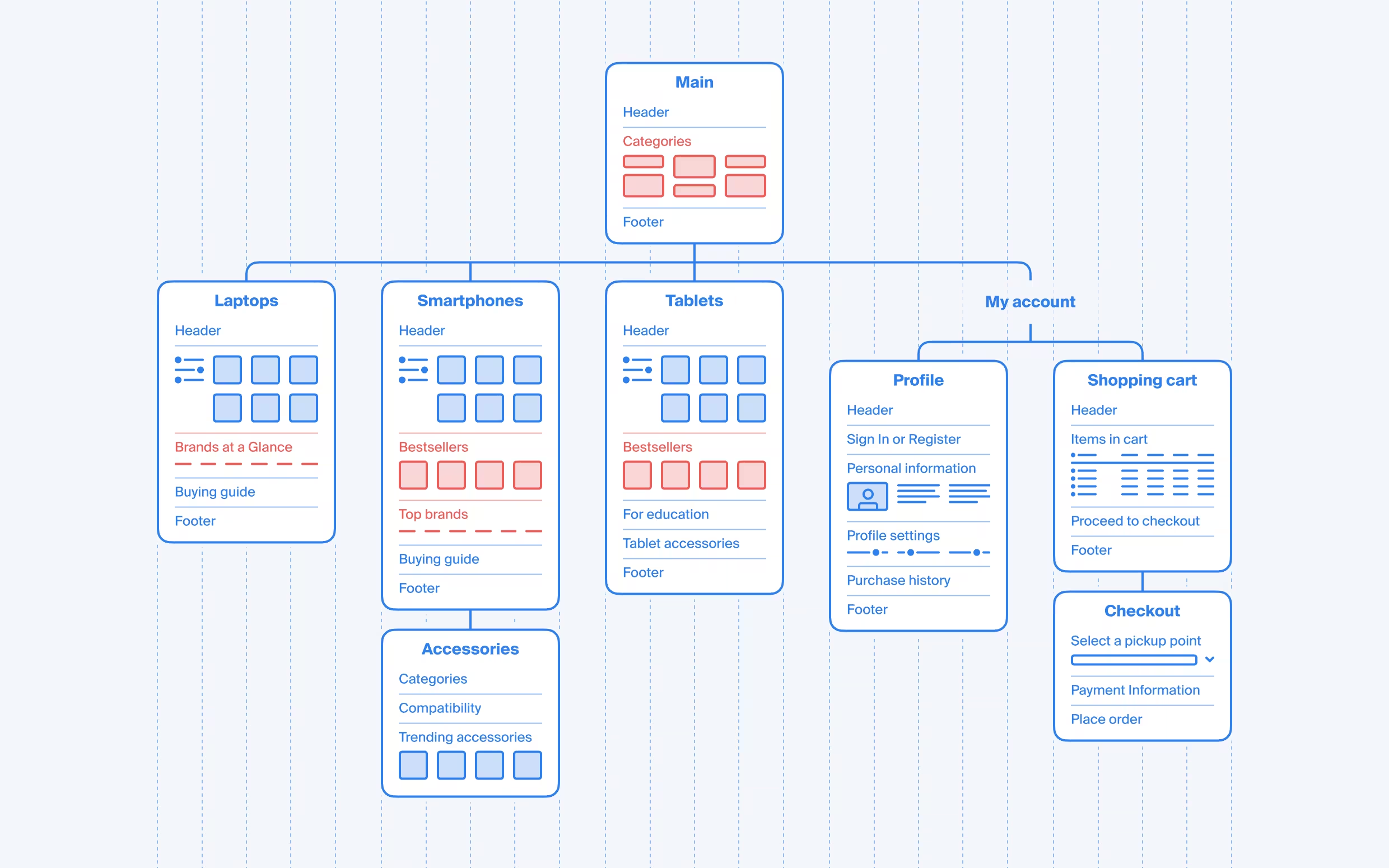
We've completed a complete rewrite of Redux actions to enhance data integrity and ensure consistent project progress tracking. This update improves the reliability of state management, reducing sync issues and what's most important - enables us to deliver even cooler features in near future, things that we always wanted to create, but technical constraints didn't let us move as quick.
More customization in Publish
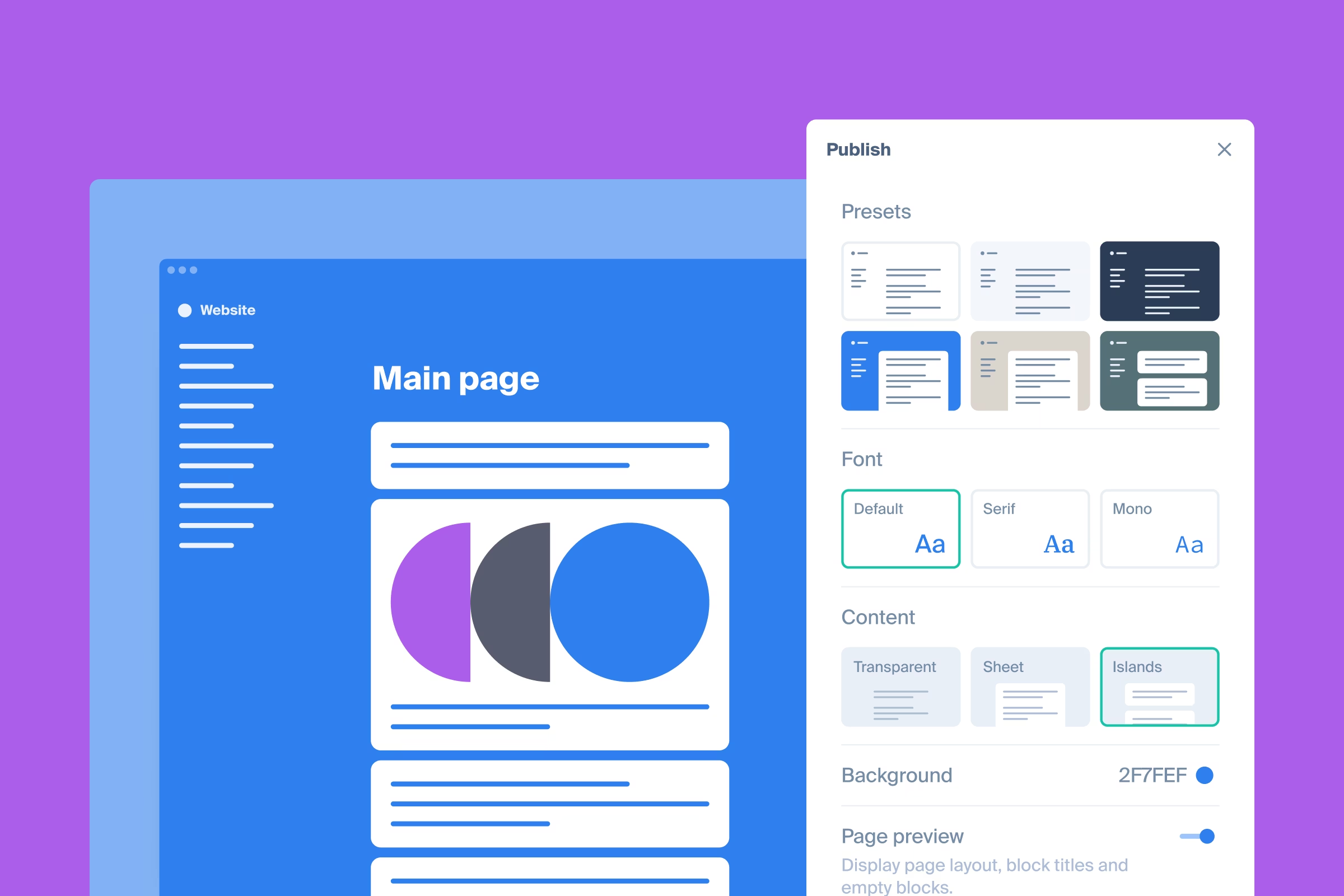
Long-awaited update to Publish, enabling customising the website to your liking. Published document-like websites are easy to share and super-quick to update.
- Custom background color
- Selection of three design fonts
- Three text background options
Currently available for free on all plans.
Other updates and fixes:
- Added a Lead text styling in editor
- Fixed bug when image drag in editor resulted in a blank screen
- Fixed bug when project editor couldn't upload a file in editor
Publish theme update
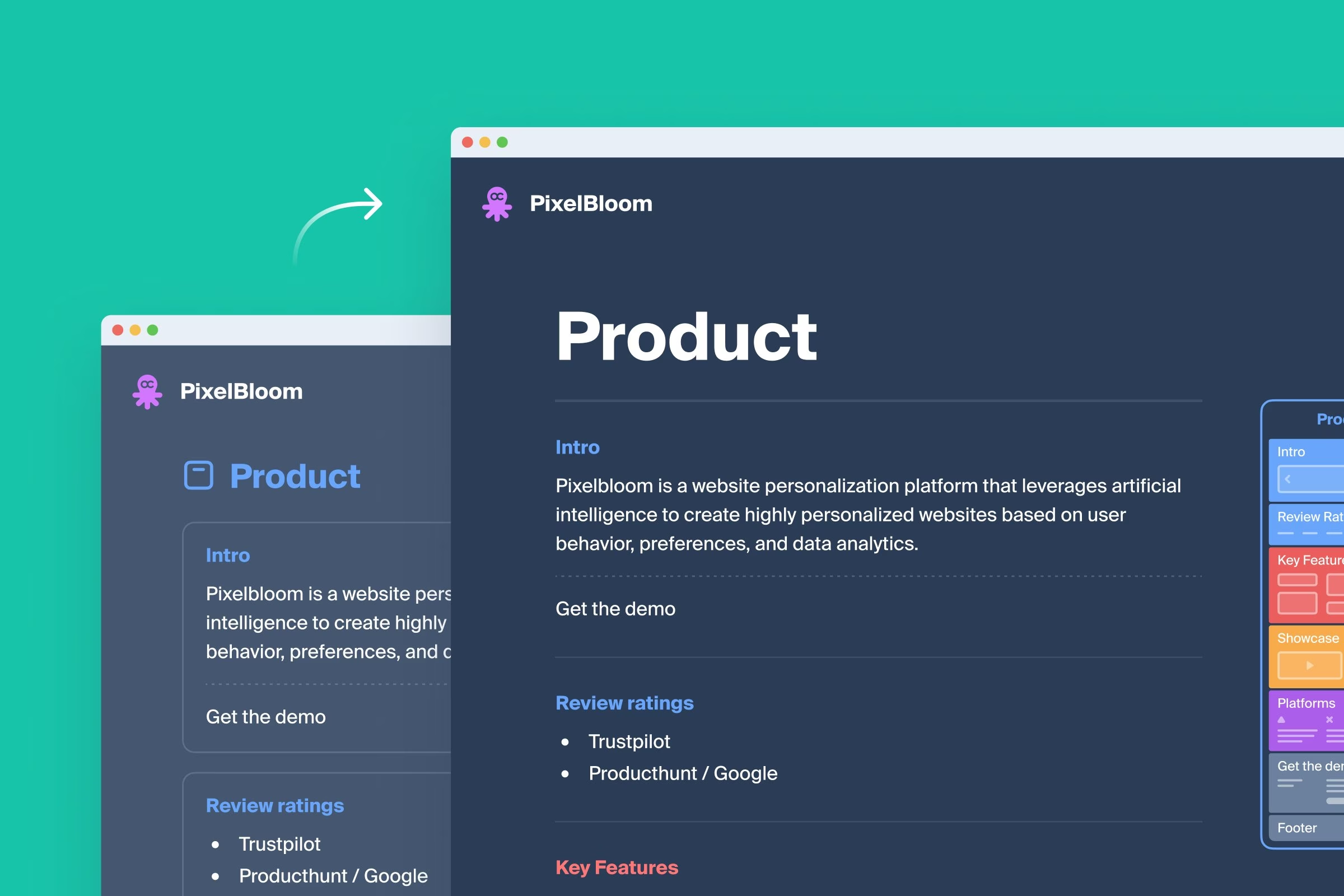
We've just rolled out a mini-release - the last one this year. Publish theme layout has been adjusted to highlight content even better, making this feature a clear choice for document-like website projects.
Other fixes:
- Ability to remove yourself from project editors
- Resolved a bug preventing unauthorized site publication
- Fixed an issue where focus couldn’t be removed from media elements in the editor
Crawling on the background
Now crawling process can be minimized, and user can continue working on other projects, close the tab, or log out if needed - crawling will continue regardless of user's presence on the page. This is super-convenient for websites larger than 300 pages which may take several minutes or more to get crawled.
Other updates:
- Inline code text style added to editor
- Fixed: Image drag-over state in editor didn't disappear
- Fixed: Crawling exclusions weren't considered in some cases
- Fixed: Cookie consent message appeared after logging out
- Other minor editor fixes to improve UX
Faster website publishing!
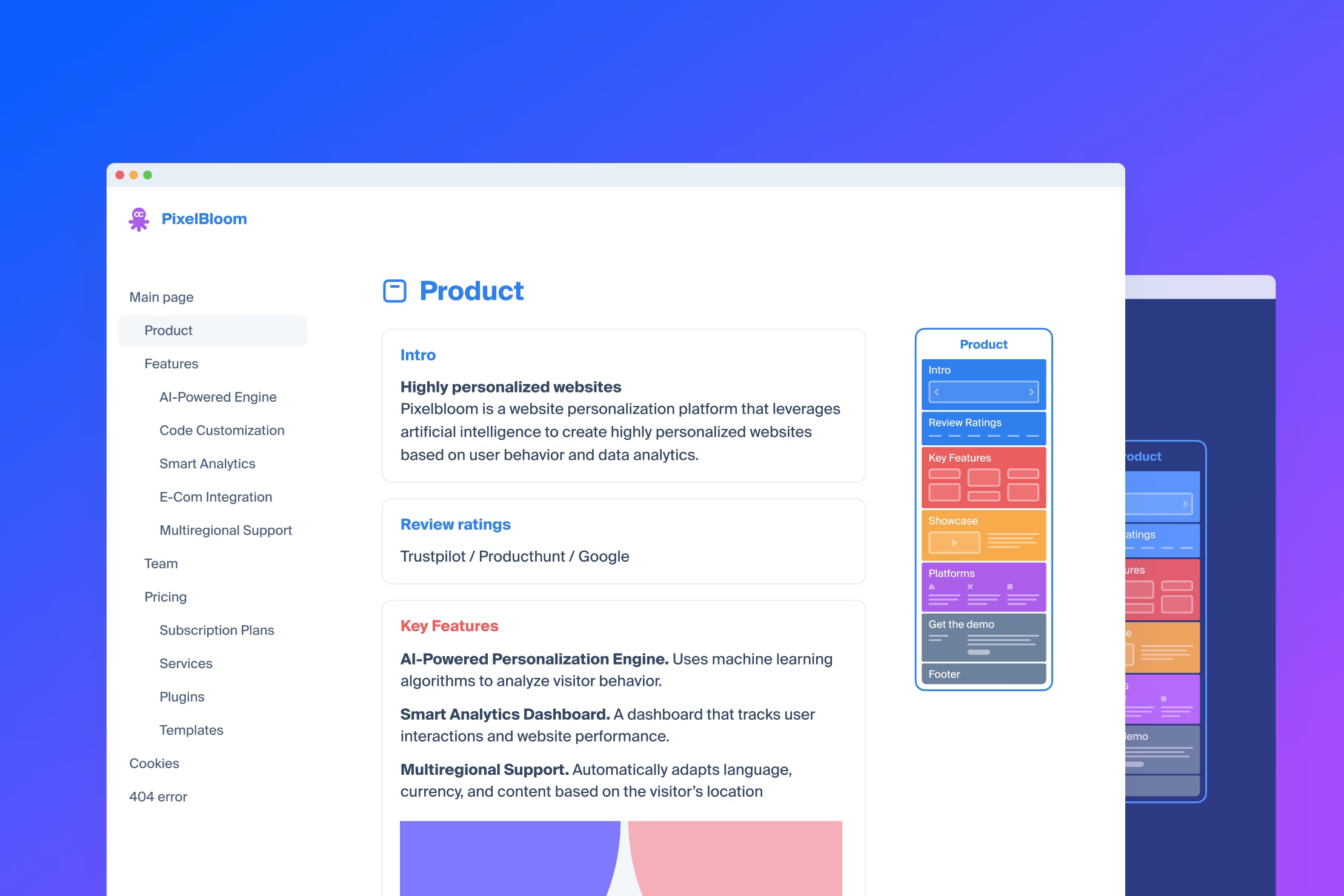
2,000+ websites have been published since we launched the Publish feature on Sep 25. Today, we released an update that dramatically speeds up publishing time. 🚀 Now, it only takes a few sec to create a website from your sitemap!
Attachments on the artboard
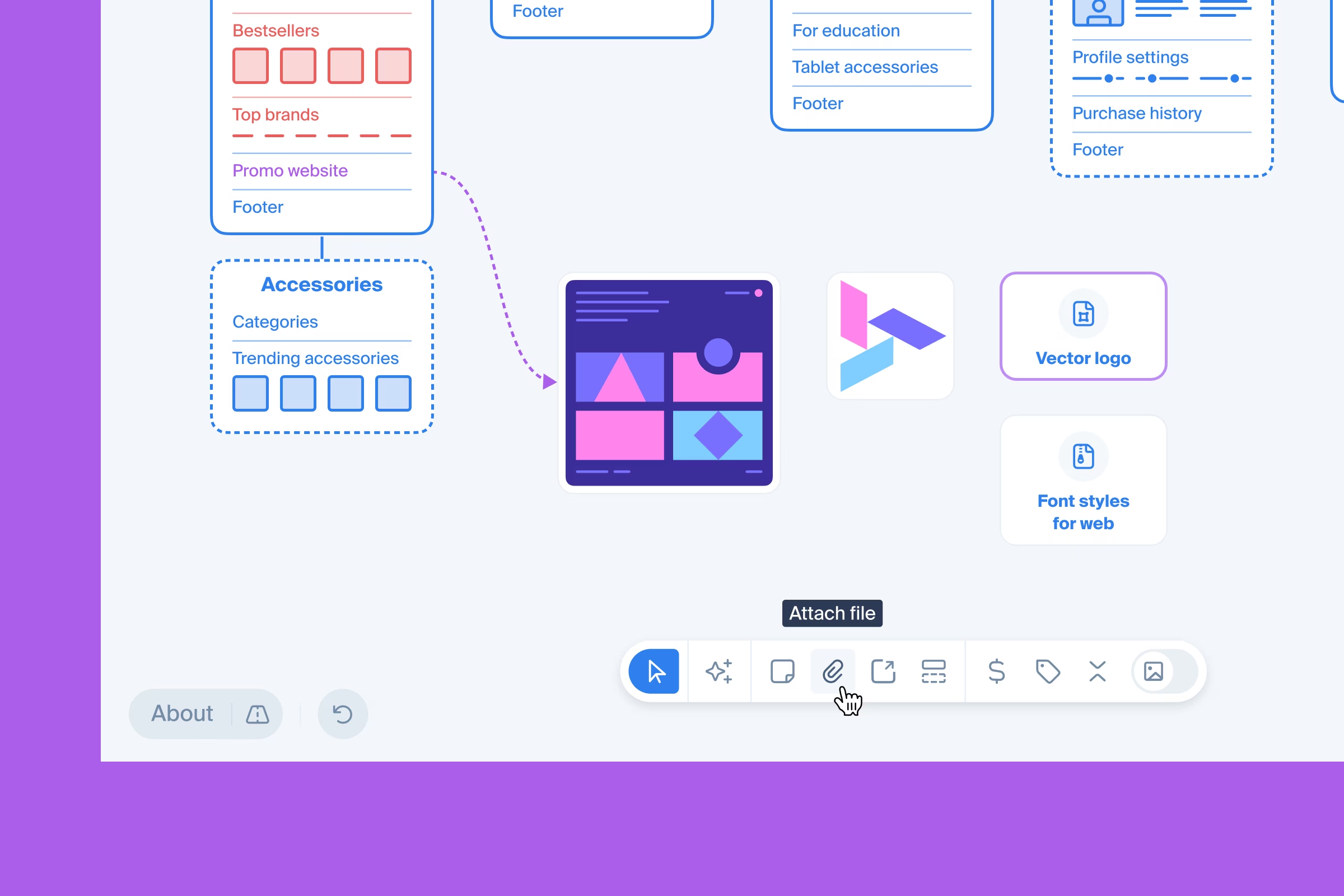
A new feature has been released, that allows uploading files and placing them on the artboard. Available on Pro and Team plans.
- One file limit is 250MB
- Anonymous users can't upload files
.jpg,.png.,.giffiles will appear as thumbnail images, other file types will have generic icons
Other details
Attachments related help article here.
AI assistant and bottom toolbar
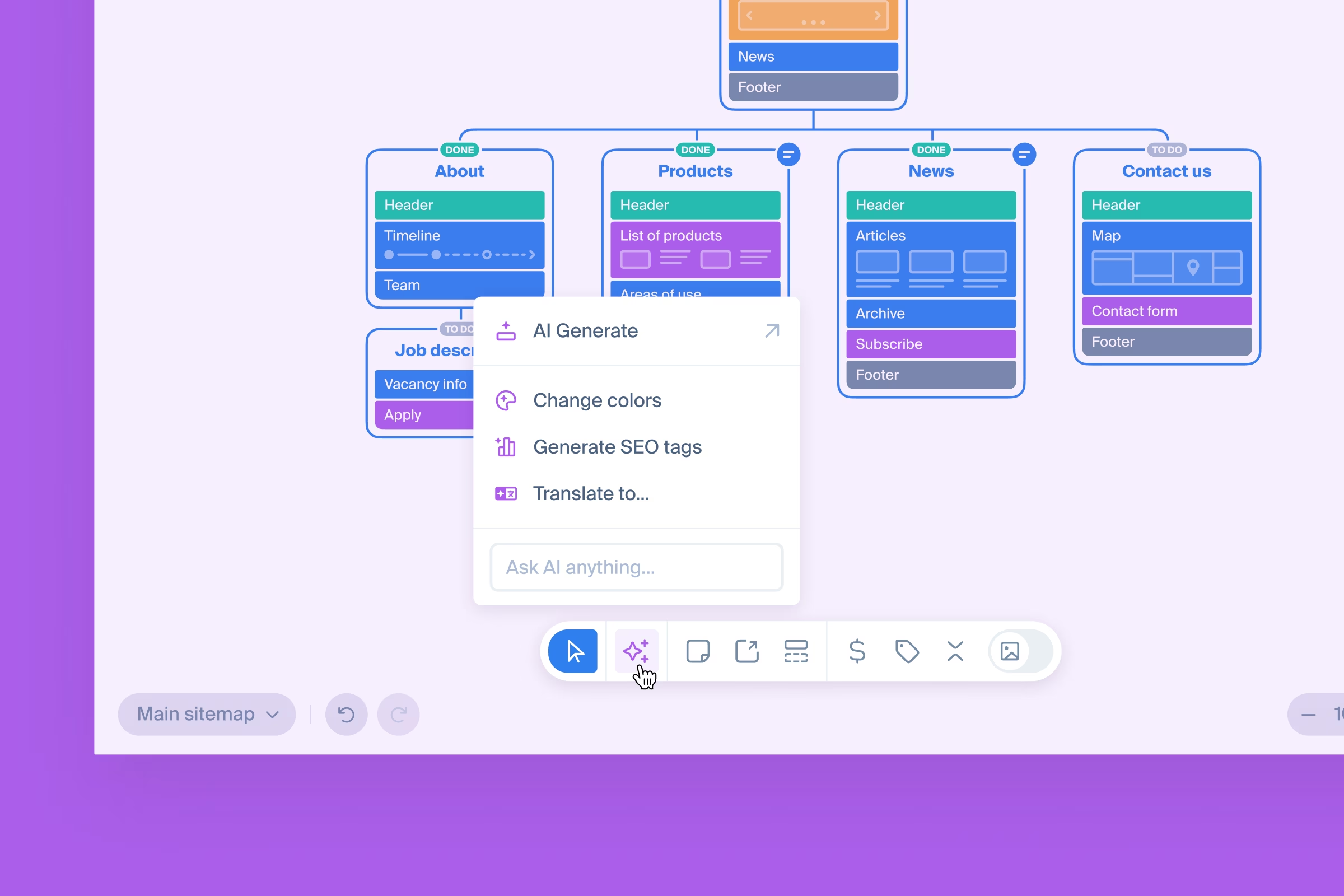
Most used functions and views are consolidated in a new toolbar that is now fixed on the screen, always at hand. Sitemap AI assistant is now available to all our users, and will help do the routine work and save time.
There are three prompts available:
- translate sitemap to other languages - translates page and block titles
- change project colors - changes pages frame and blocks colors
- generate SEO tags based on best practice
Please note that your input or output data is never used for AI model learning.
Other changes
Sticky notes and external links are now available on Free plan too.
Publish a website
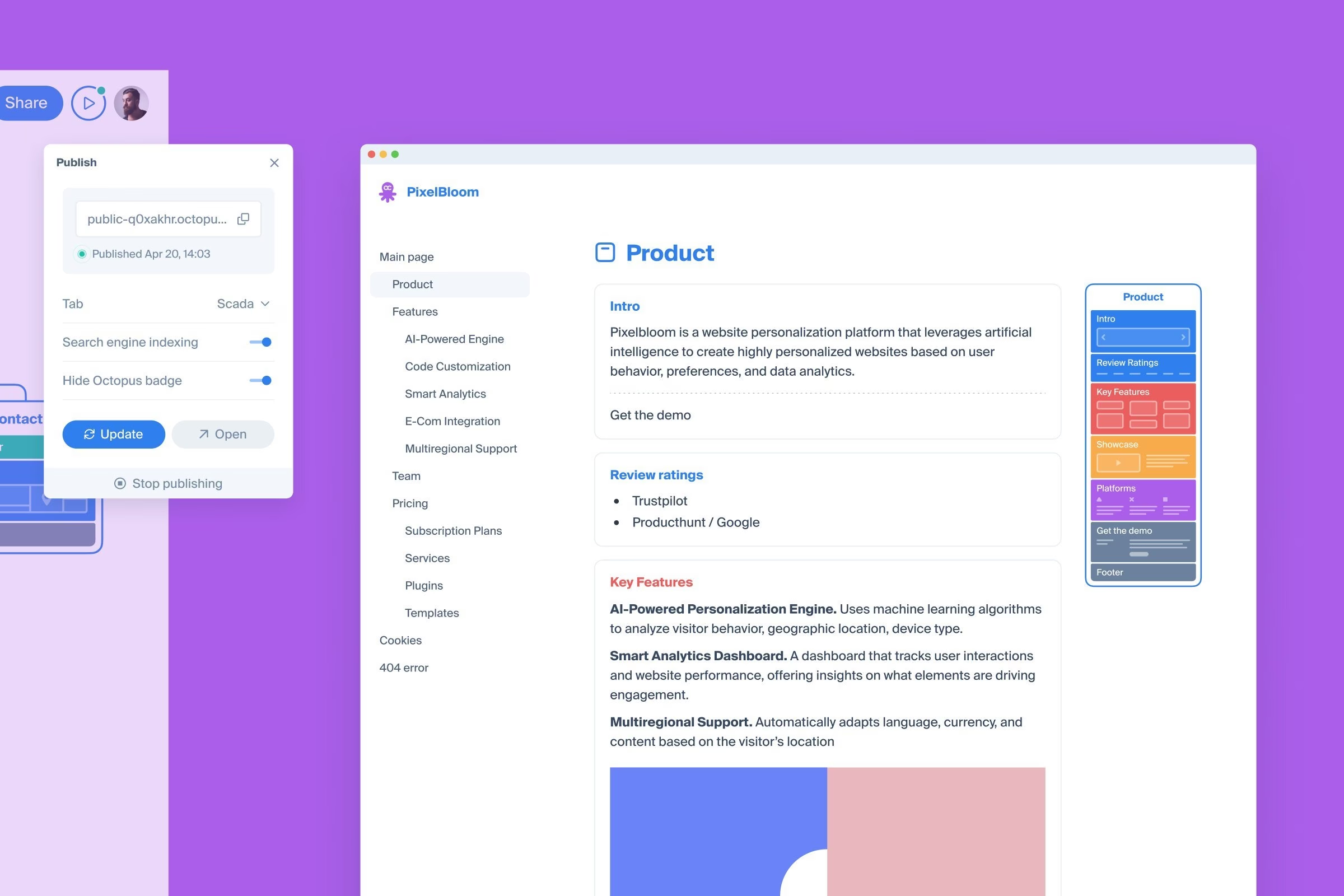
Introducing Publish, a new feature enabling our users to generate a clean, Notion-like website from the visual sitemaps. Available on all plans.
Available settings for the published website:
- Change theme
- Page preview
- Search engine indexing
- Octopus badge (configurable on Pro and Team plan)
Other details
Publish related help article here.
Update to Symbols
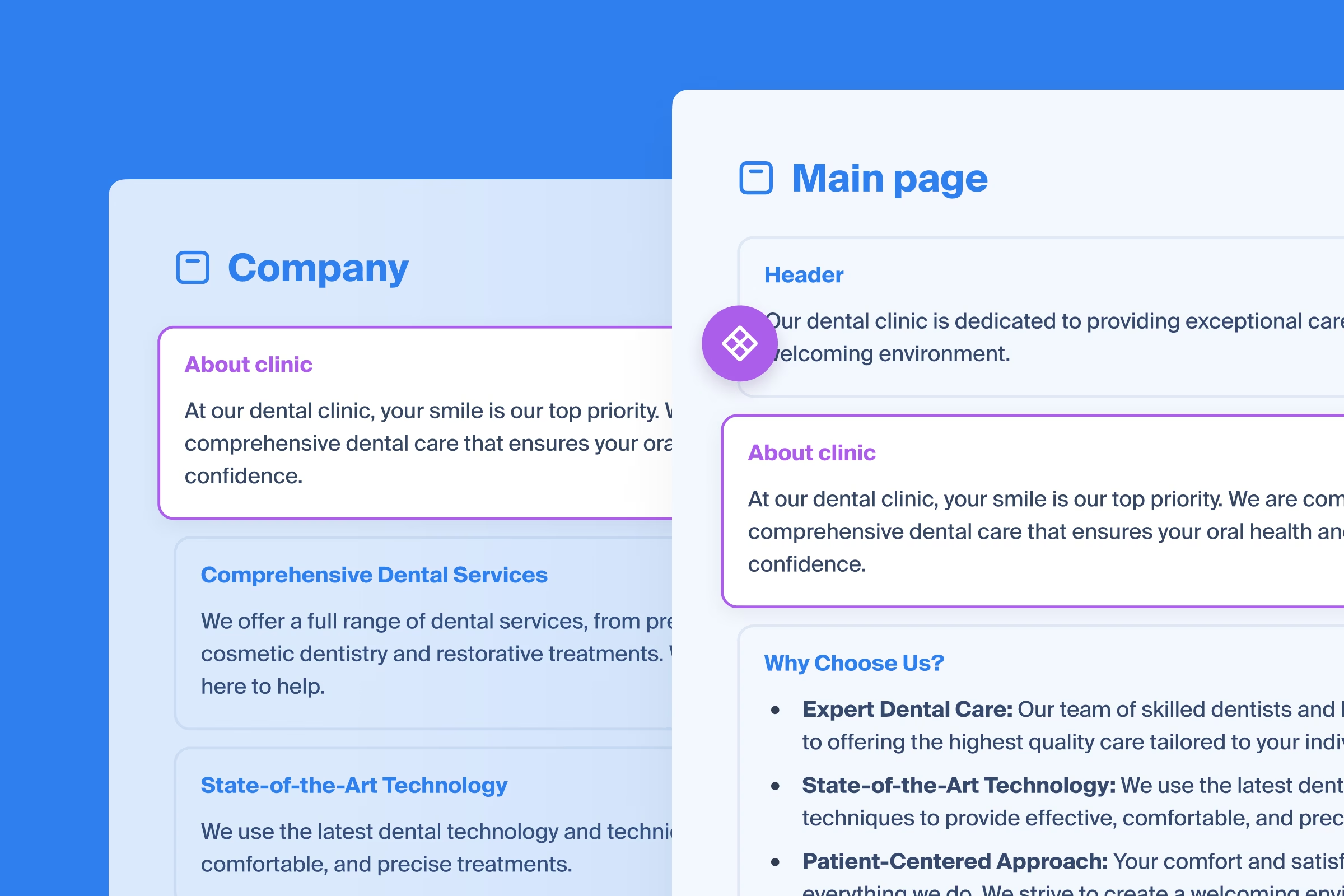
Symbols now come with content - whenever you edit a symbol or its content, it automatically updates throughout the entire sitemap.
Related help article about symbols here.
Project data export to WordPress
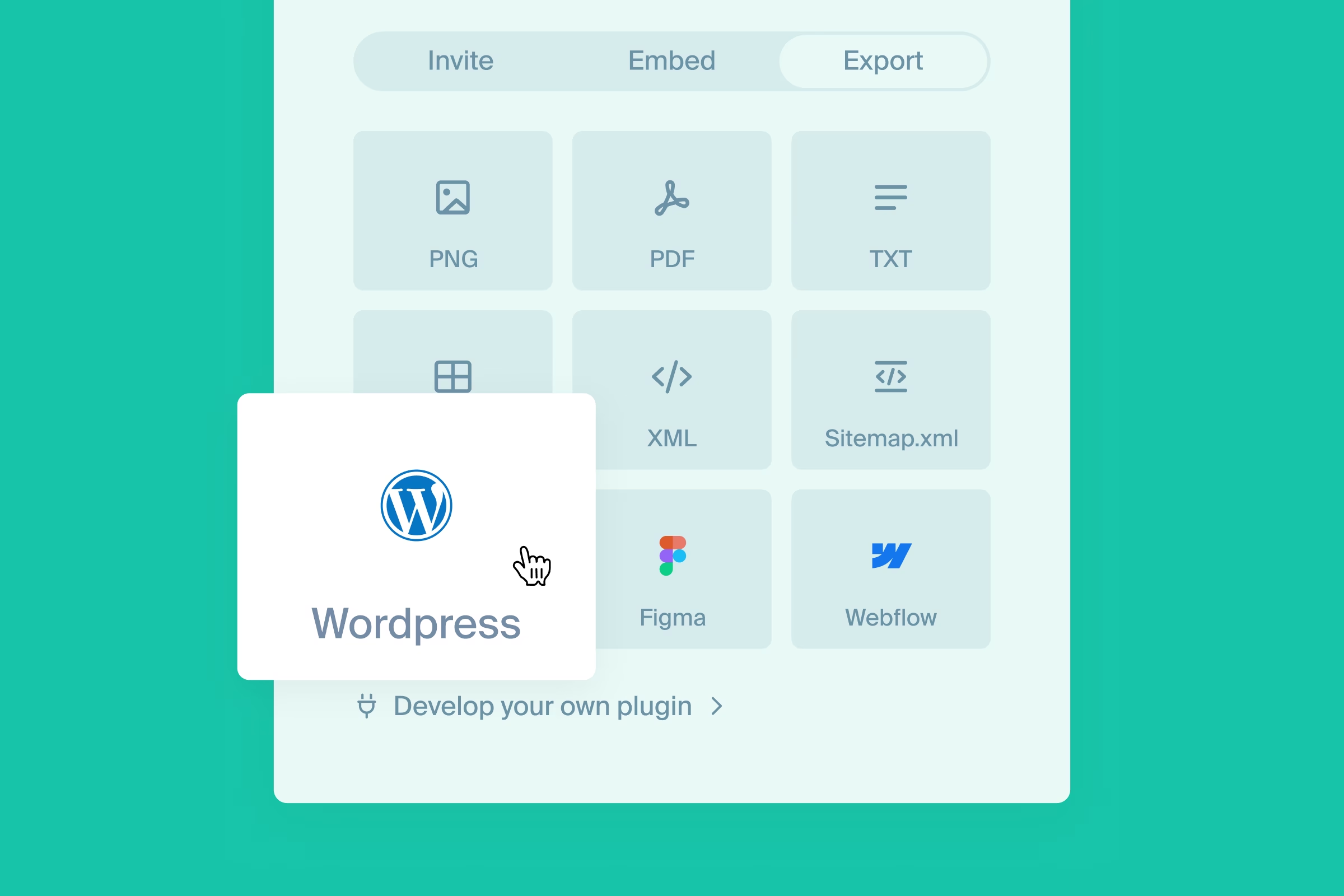
Launched WordPress export beta, a WXR file with complete project data, including page hierarchy and styled content.
Other details
More information on the dedicated page. WordPress export related help article here.
Update to access rights
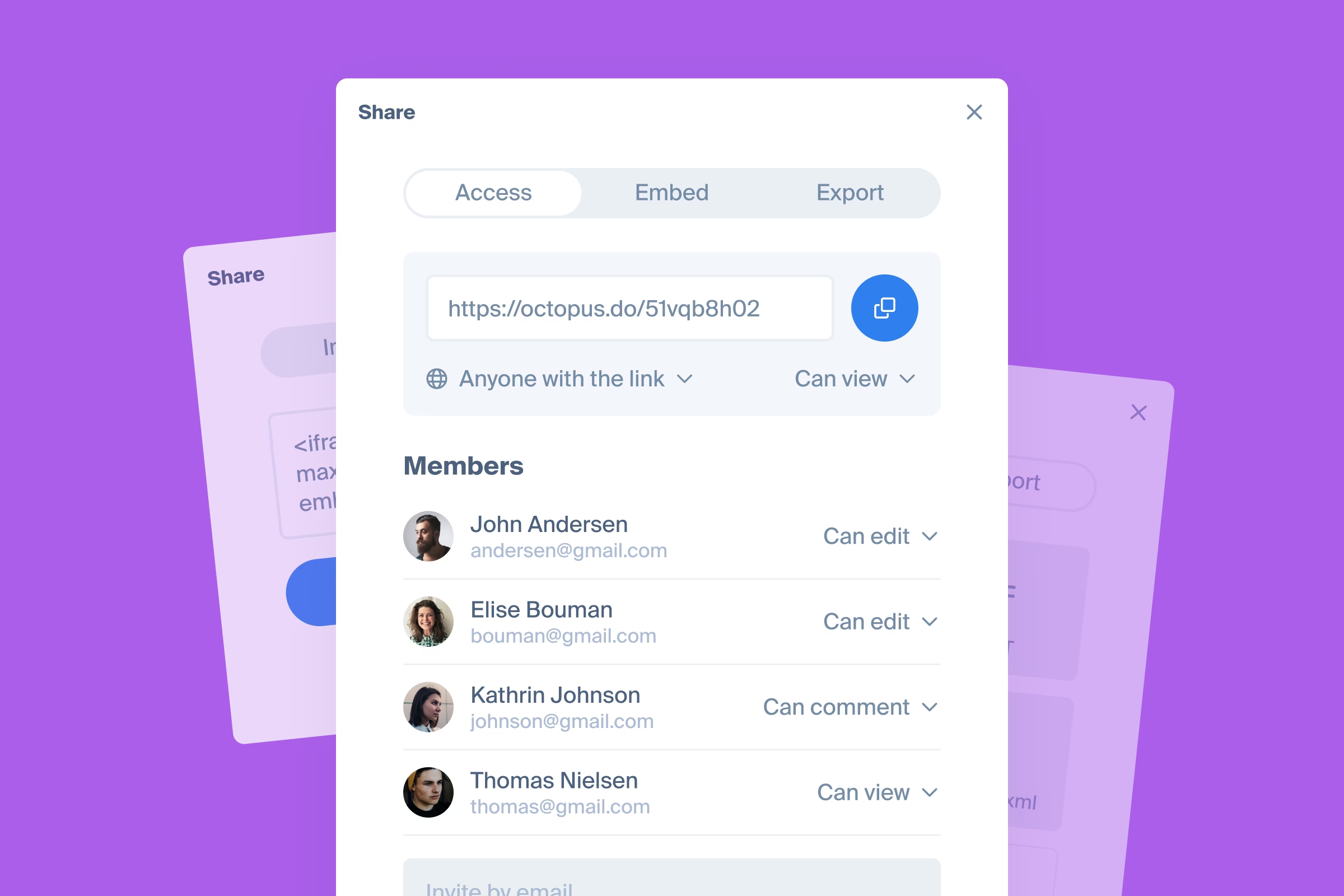
At Octopus, we prioritize simplicity and user experience. From day one, we've showcased our product without requiring registration, maintaining a balance between feature richness and a clean interface. Initially, we introduced a straightforward project sharing option — one link for edit rights, another for read-only access. This simplicity resonated with our early users, who appreciated the ease of sharing their projects.
As our service has grown, so have our users. Teams with dozens of members have joined, solo professionals have built extensive projects, and many users have started drafting text content within Octopus. This expansion necessitated more flexible access management and higher security standards. We’re excited to announce upcoming changes to our access rights management, designed to better meet your evolving needs and enhance security.
Enhanced Permission Flexibility for Team Members
One of the key improvements is the ability to assign different permission levels to invited project members. Previously, all members had edit rights by default. Now, you can grant view, comment, or edit rights as needed, giving you more control over project collaboration.
Simplified Project Access
We’re streamlining how external collaborators access your projects. Instead of separate links for edit and read-only access, there will now be a single URL link. This change reduces the risk of mistakenly granting edit rights and enhances user experience by making access control more transparent.
For teams who need to share edit rights via a URL link, this option will remain available for those on the appropriate plan, ensuring a seamless access process tailored to your team’s needs.
Anonymous Commenting Update
To protect your projects from unwanted attention, anonymous users will no longer be able to leave comments. This ensures that all comments come from identifiable individuals, promoting accountability and transparency in project discussions.
Octopus.do to Webflow app
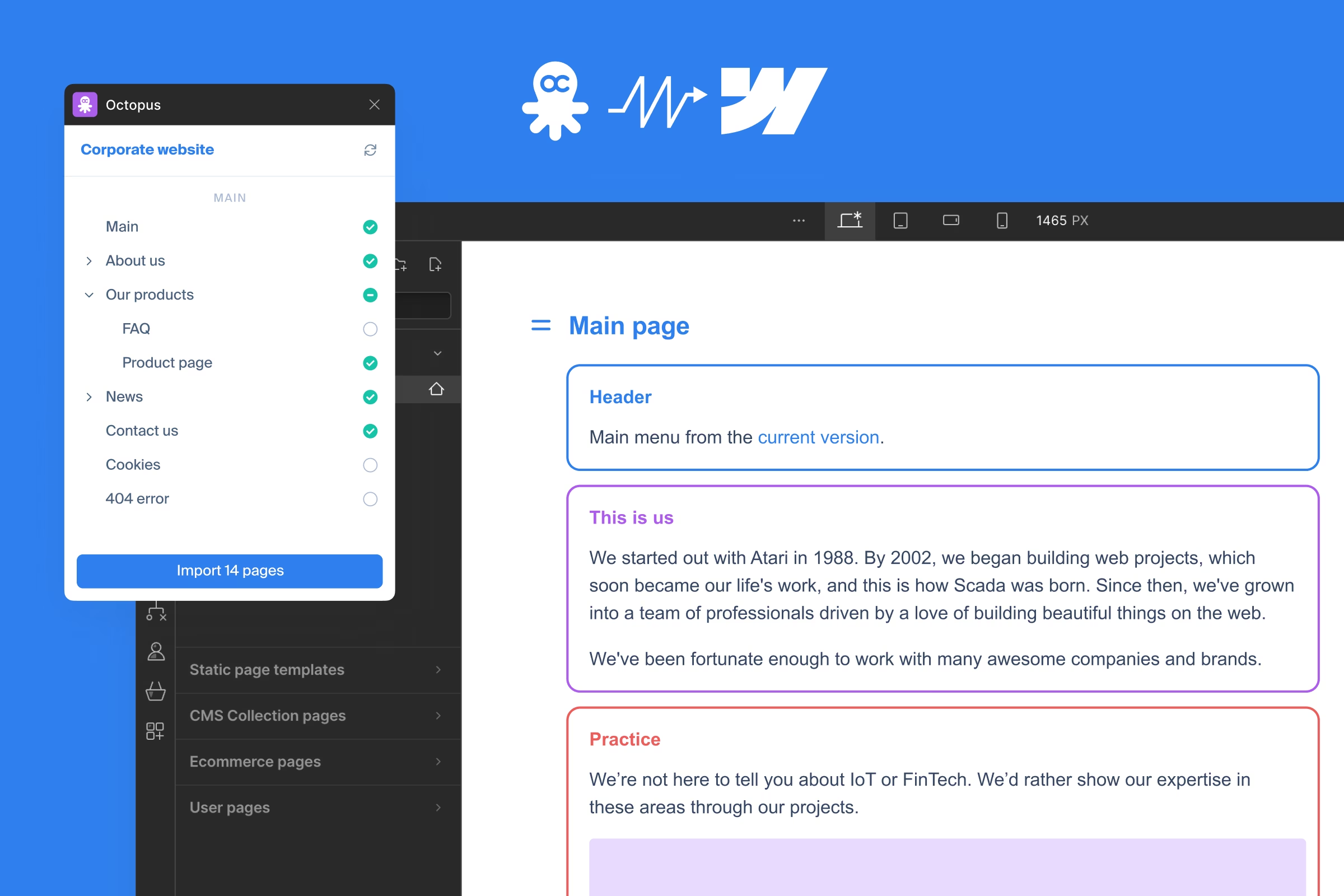
The app is designed to import Octopus.do sitemap into Webflow, allowing to publish a project as a website seamlessly. We've kept the app simple to reflect the Octopus.do spirit, minimizing the time from visual sitemap completion to a published website.
Available for free on all plans.
Update July 8, 2025
With Publish feature offering the same functionality, we withdrew the plugin from Webflow Marketplace.
Project tabs
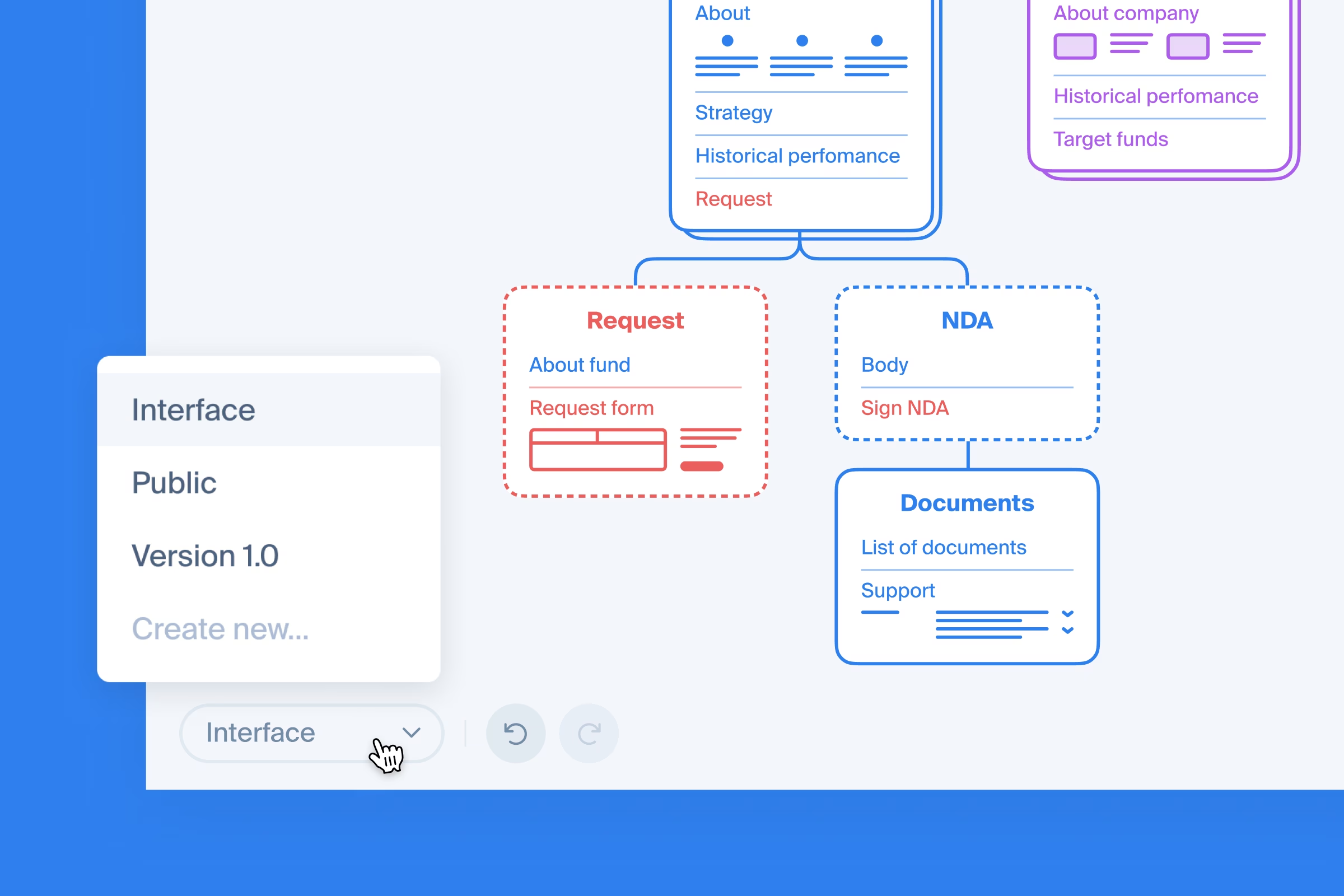
Introducing tabs - a feature to store multiple sitemaps within a single project, helpful for comparing versions, drafts, or revisions.
Available on Pro and Team plans.
Update to content window
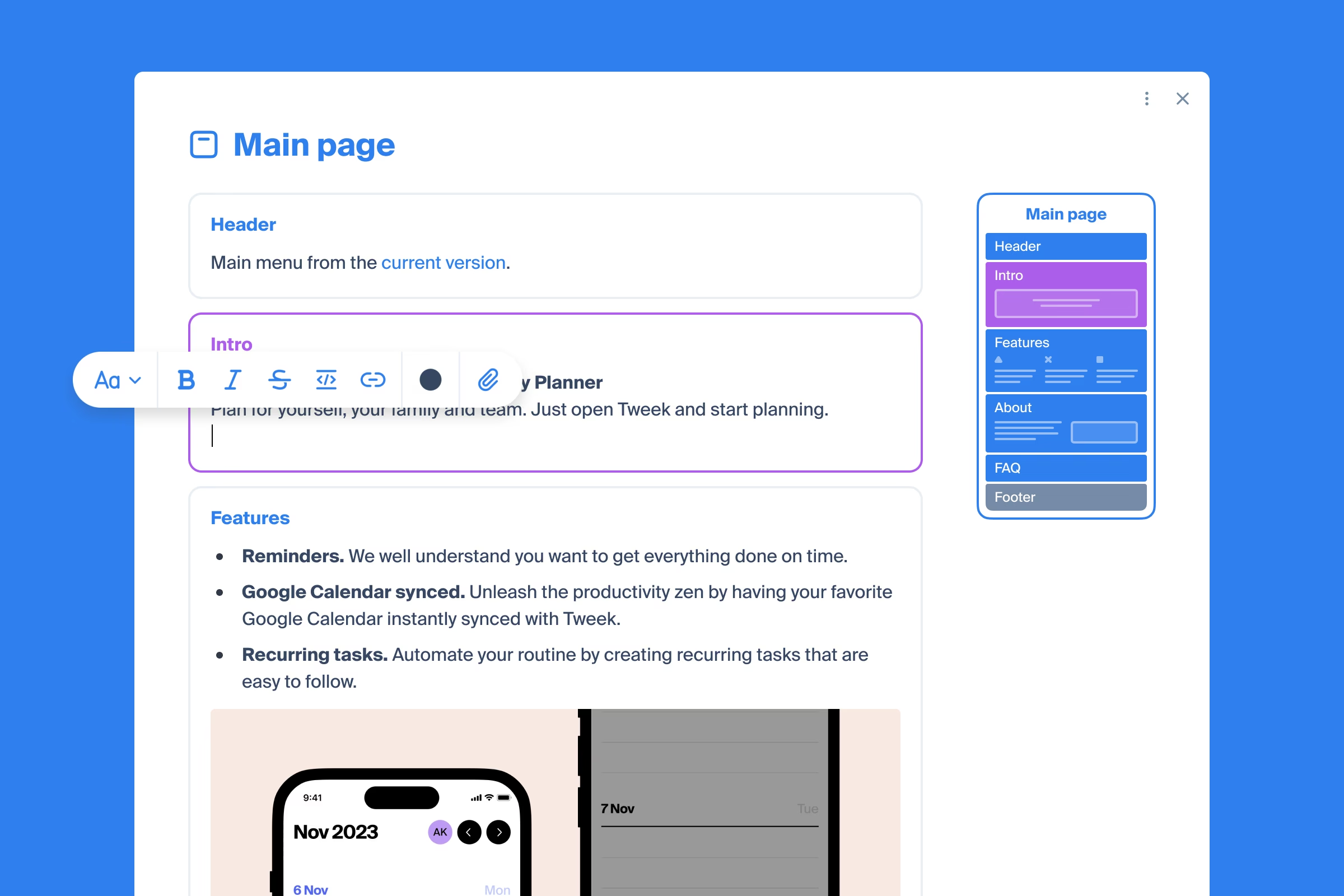
Content modal window is redesigned to add more clarity and functionality when working with the content. Blocks can be edited right inside the content window, with the page preview on the right for context.
Other improvements
- Merged the comment and content indicators in the sitemap
- Other page controls updated for a cleaner look
Octopus.do to Figma plugin
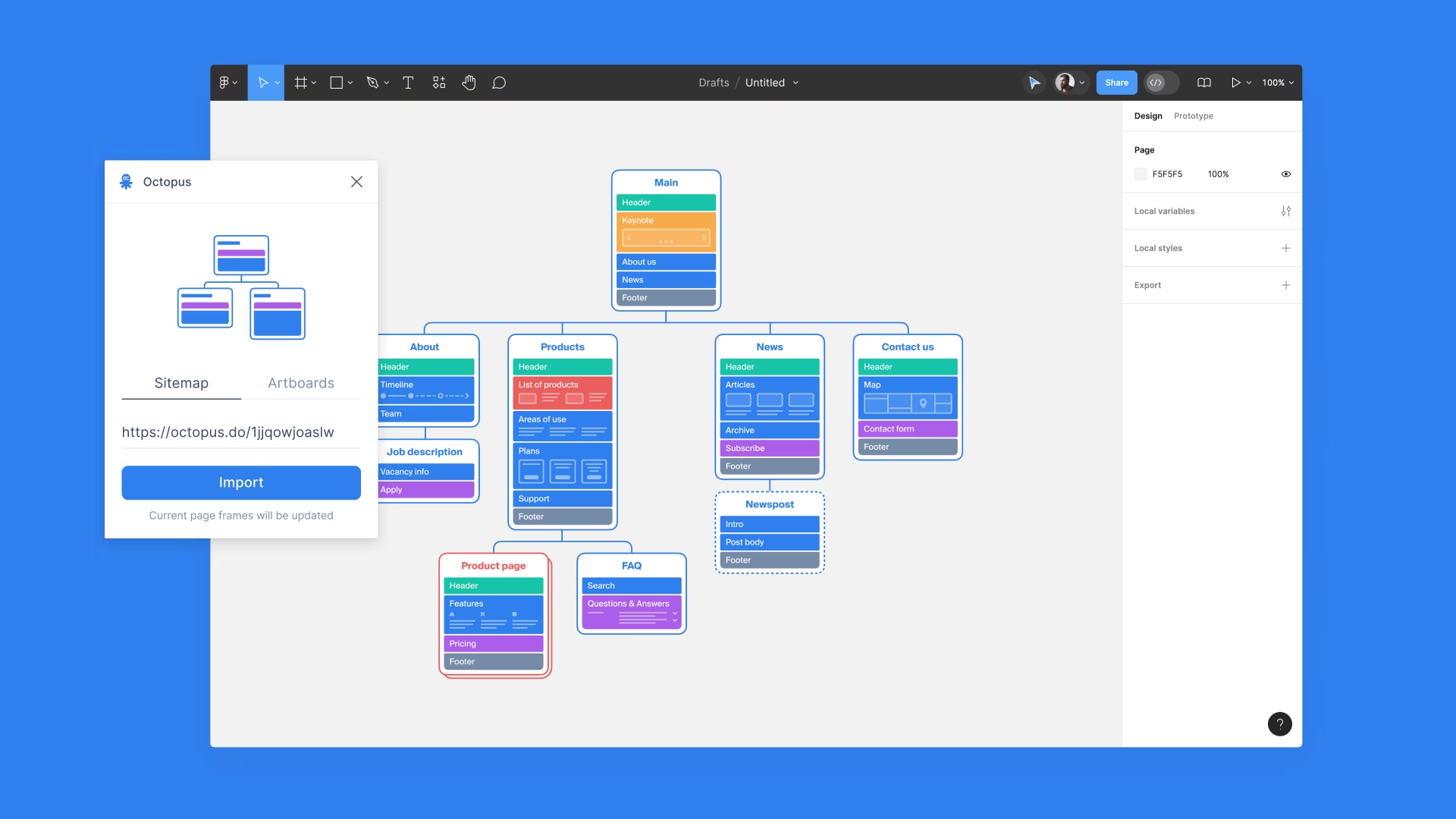
Introducting Figma plugin. It has been developed to assist designers in migrating the visual structure from Octopus to Figma. We know how painful the transition from one app to another can be, hence the plugin to make this step seamless. There are two import options - as a sitemap or as artboards.
Available for free on all plans.
Other details
More information on the dedicated page. Figma plugin related help article here.
Text editor update
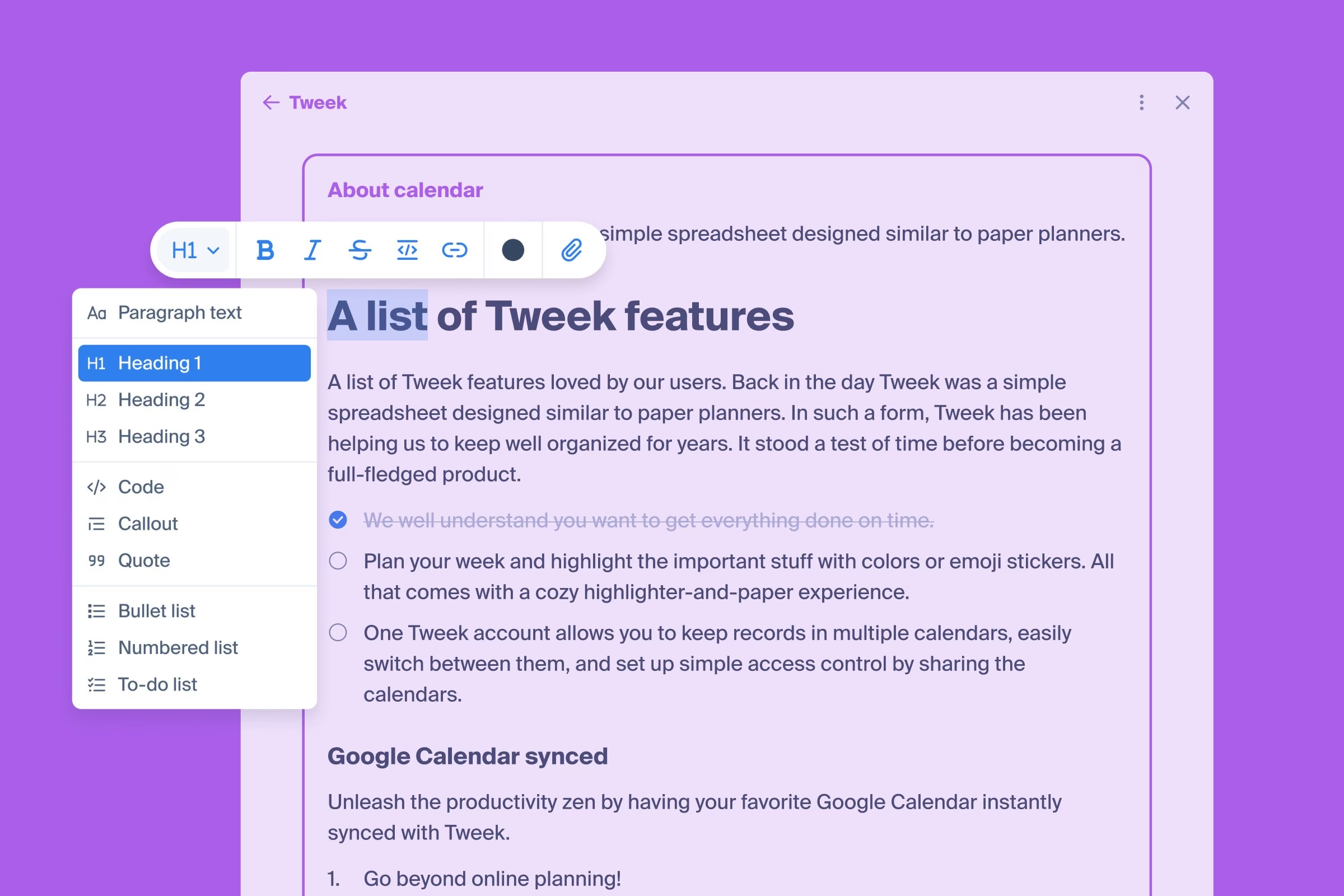
Content is king! Previously save-confirmation requiring editor is updated to save progress on the fly. The updated version is wrapped in a contextual toolbar, all to keep focus on the content creation.
Available styling options
- Bold, Italic, Strikethrough
- Text color and highlight
- Link
- Headings 1-3
- Code block
- Callout
- Quote
- Bullet list
- Numbered list
- Checklist
Update to collapsed pages
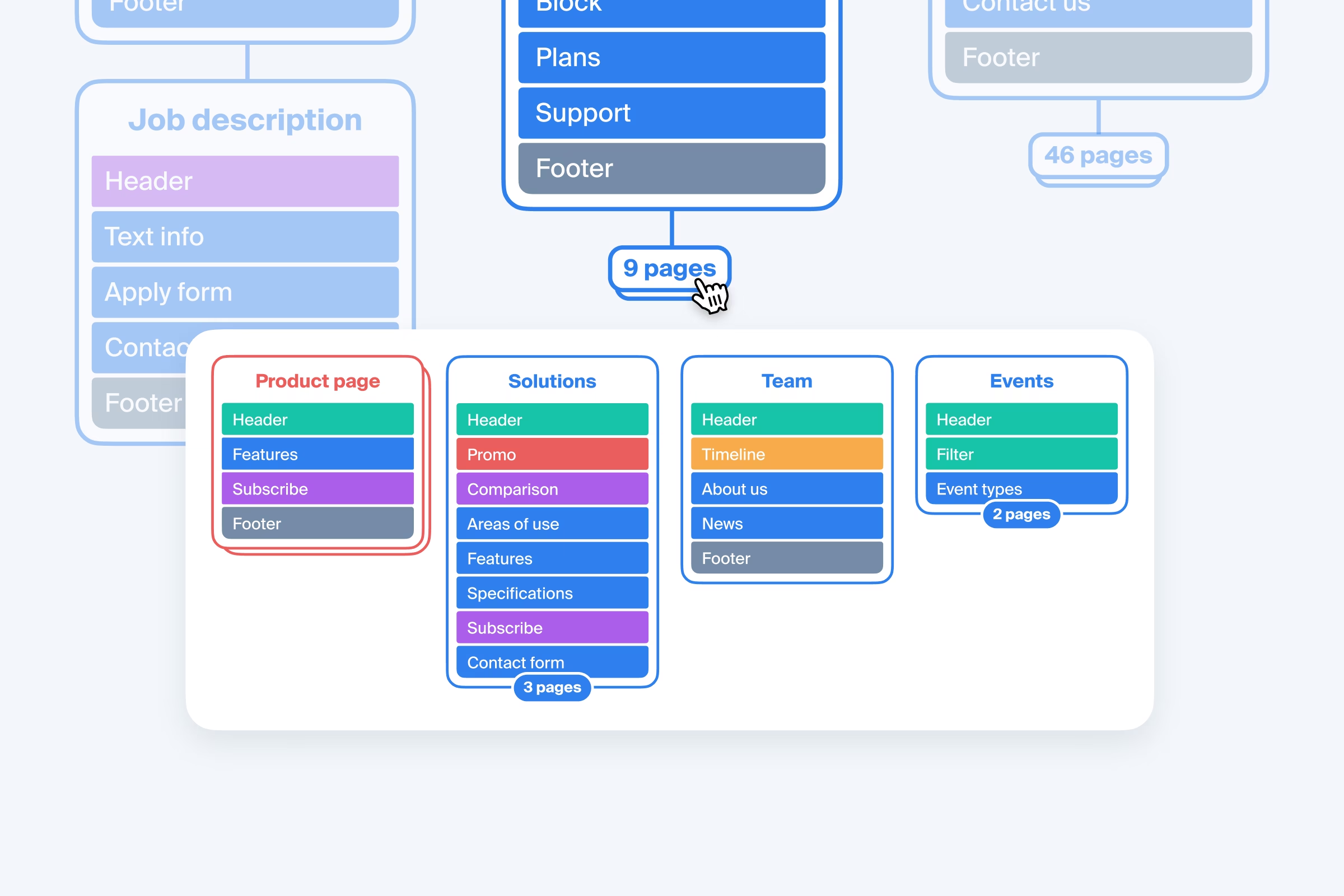
Added a counter and a preview for collapsed pages for a better UX - users are not required to expand pages to see what's there anymore.
Other changes
- Wireframes design updated
- 12 new wireframes added to the library
Update to AI project generator
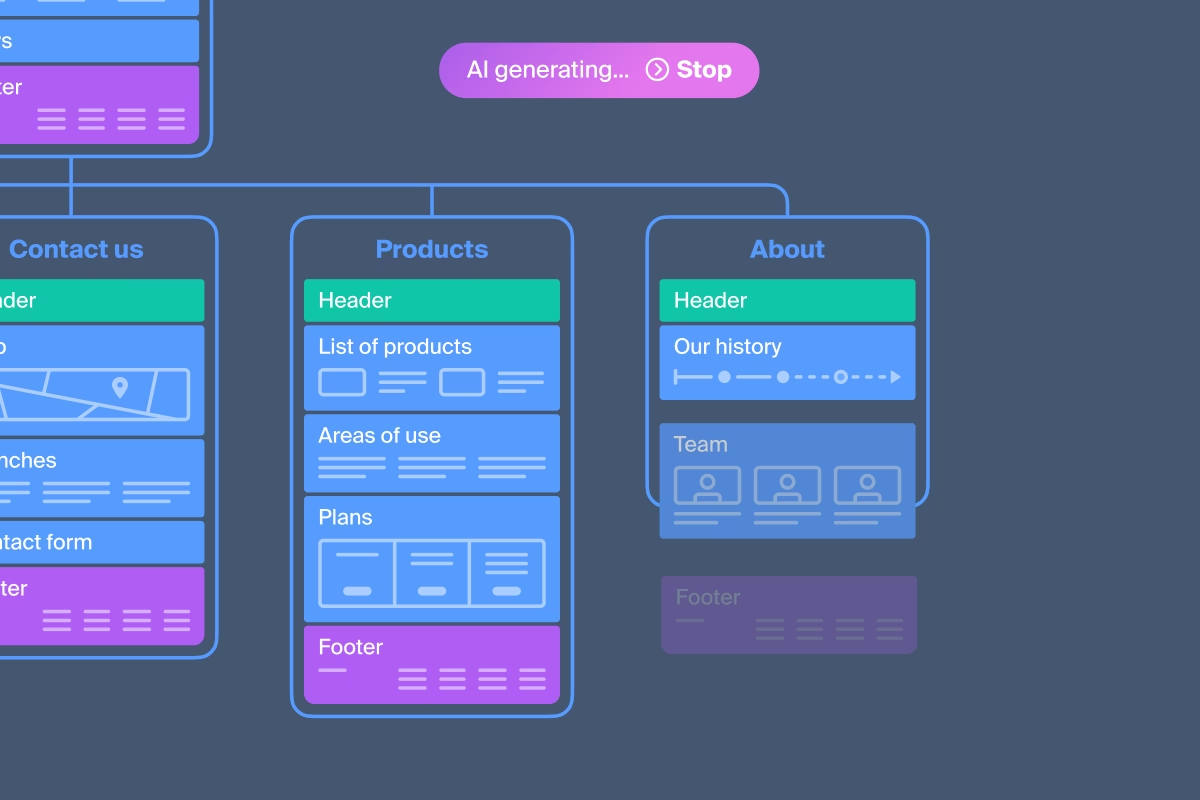
Previously AI generated projects only included pages and blocks. With this update we identify the type of the block and assign the right wireframe to it.