Use your sitemap to build a website prototype in Figma
Figma is a popular online collaborative design service for prototyping and designing user interfaces. With many advanced features it suits many - designers, developers, managers and their clients.
This plugin has been created to assist designers in migrating the visual structure from Octopus to Figma. We know how important it is to not break apart when moving from one app to another. We're doing our best to minimize distractions when switching from the UX to UI stage in your workflow.
Features
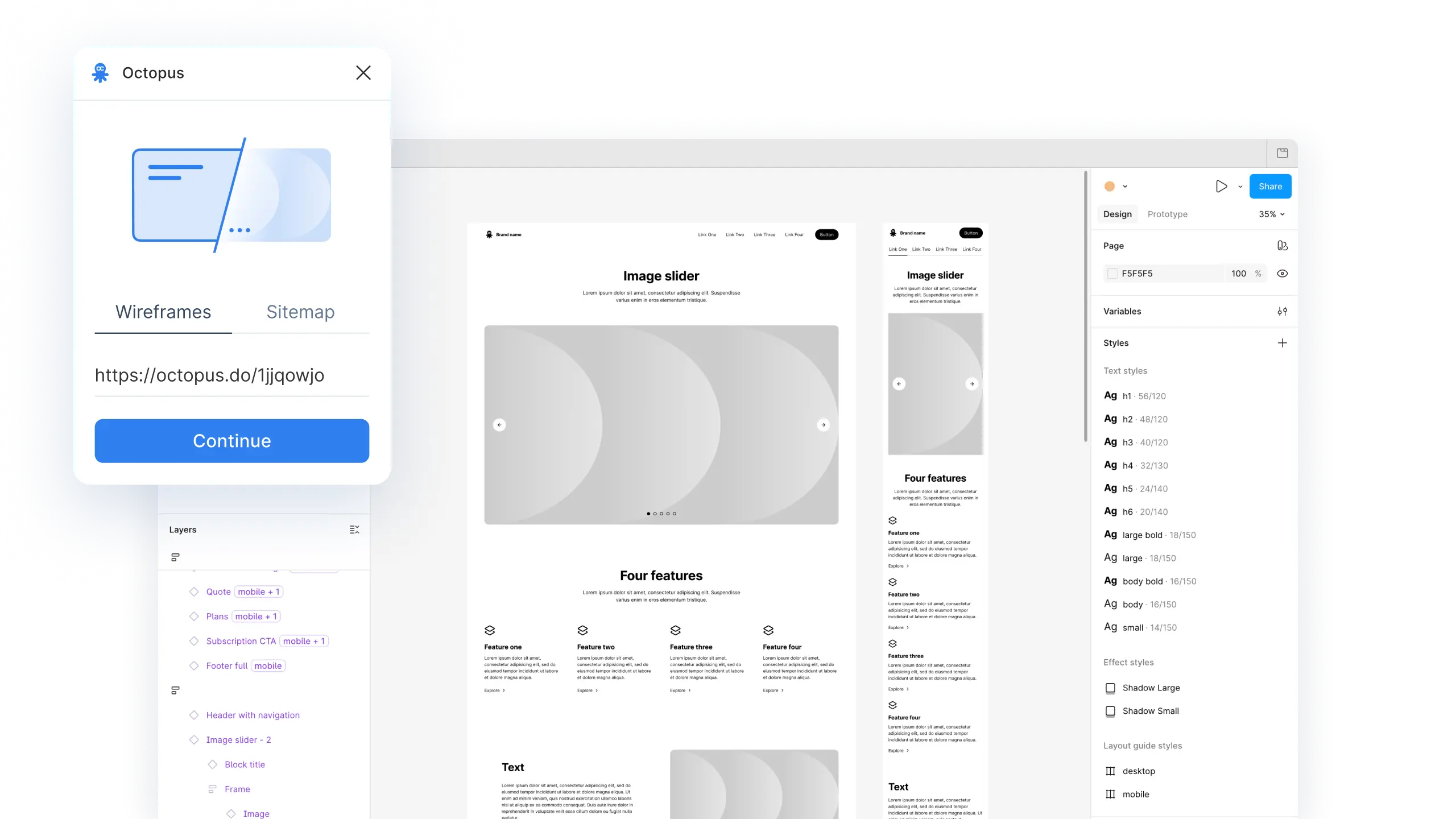
Plugin have two options for project export: as wireframes, or as visual sitemap.
Generating wireframes enables anyone to create a full website prototype in seconds, saving hours and even days of work. Get Octopus Wireframes Kit with full components library to run the plugin.
Imported visual sitemap is editable, allowing to customize the color scheme, and use it as user wishes. All elements are wrapped under the Autolayout feature, making it very convenient to make edits.
How to use the plugin
- Open your Octopus project, and select Figma in the Export tab.
- Click Octopus Wireframes Kit to get a copy to your Figma workspace.
- Click Octopus plugin, and run it in the copied file.
- Paste the project link in the plugin, and click Continue to generate wireframes.